
In DCS, every aircraft has a kneeboard: pages you can open in the cockpit. JoyPro can put a page there for each aircraft. It lists what every button of your devices does in that aircraft. You read it right in the cockpit.
#Put your binds on the kneeboard
- Layout
in the bar at the bottom - Cheat sheets
at the top of the page - Kneeboard
keep DCS kneeboard - Put on the kneeboard
then fly
- Open Layout in the bar at the bottom.
- Press Cheat sheets at the top of the page.
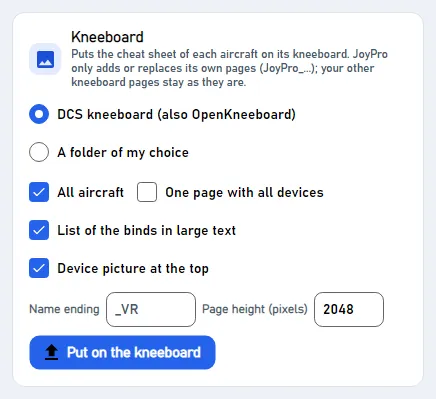
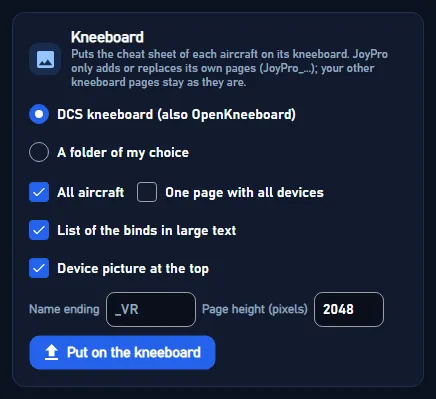
- Find the part Kneeboard. Keep DCS kneeboard (also OpenKneeboard).
- Press Put on the kneeboard.
- Start DCS and get into an aircraft. Open the kneeboard: your page is there.
The page shows a list in large text. It names only the controls you use, grouped by control. Your device's picture is at the top. A device with many binds goes on to a second page.
#After you change a button
Press Put on the kneeboard again. JoyPro replaces its old pages with new ones.
JoyPro only adds or replaces its own pages. Their names start with JoyPro_. Your other kneeboard pages stay as they
are.
#The options
| Option | What it does |
|---|---|
| DCS kneeboard (also OpenKneeboard) | The Kneeboard folder of your DCS Saved Games folder, and of a DCS.openbeta folder next to it. OpenKneeboard shows them in its DCS Aircraft tab. |
| A folder of my choice | A folder you pick, one sub folder per game and aircraft. For an OpenKneeboard Folder tab or another tool. |
| All aircraft | On: every aircraft your devices have binds in. Off: only the aircraft ticked above for the cheat sheets. |
| One page with all devices | All devices on the same pages, each device a section. |
| List of the binds in large text | On (the default): the list. Off: the cheat sheet picture, as on the Layout page. |
| Device picture at the top | A picture with a number on each control that matches the list. |
| Name ending and Page height (pixels) | Kept for next time. 2048 makes 1536x2048 pages for DCS. |
Binds that need a modifier get a coloured tag in the list. The pages use the ticked devices and the sheet style of the cheat sheets.
#Behind the kneeboard
The pages go into Saved Games\DCS\Kneeboard\<aircraft>\JoyPro_...png (and the same under DCS.openbeta), in the
folder name DCS uses for each aircraft (F-16C_50, A-10C_2). A game-mode copy such as F-16C_50_easy shares the
kneeboard of its aircraft. Engine: engine layout kneeboard. GUI: ExportKneeboardCommand on the
Layout page.