
IL-2 Great Battles keeps one key mapping for all aircraft, in text files inside the game's installation
(data\input). JoyPro reads that key mapping into your profile, lets you join its actions with your other games in
relations ("Gear" in IL-2 and in DCS on the same button) and writes them back. The game compiles the files when it
starts, so nothing of JoyPro runs while you fly.
IL-2 Sturmovik: Great Battles native (its own bind files)
- Support
- native (its own bind files)
- Engine command
engine il2- Bind file
<install>\data\input\*.actions,current.responses,global.pitch,current.devices;jp.actionssidecar- Inputs the game reads
- reads 128 buttons, 8 axes, 4 hats per joystick (documented)
- Command list from
- the
data\input\*.actionsfiles the game writes - In-game test
- 38/38 steps passed (2026-10-11)
- ✓ Import
- ✓ Export
- ✓ Keyboard binds
- ✓ Modifiers
- ✓ Command list built on your PC
- ✓ Game watcher
- ✓ Axis curves and dead zones
- ✓ Game control settings
- ✓ In-game force feedback settings
- ✓ Force feedback from telemetry
- ◐ Telemetry recordingThe game's telemetry has no world position: recorded and exported as CSV, no Tacview (ACMI) track.
- ✓ Virtual joystick (vJoy)
- ◐ Virtual Xbox pad
- ✓ Virtual functions
- ✓ Setup wizard / Auto Assign
- ✓ Cockpits
- ✓ Cheat sheets
- ✓ In-game test
From the support matrix, generated from the engine’s code: all games.
#Get it working in 3 steps
- Set it all up for me
on the Start page - Use these buttons
look at the list first - Write to my game
keep IL-2 closed
Before: let IL-2 write its key mapping once. Open Settings > Key mapping and press ACCEPT. Close IL-2.
Then: your binds are in Settings > Key mapping, in every IL-2 aircraft.
Did you bind buttons in IL-2 before? Then the Start page offers Import, then fill the gaps. Your binds stay, and only free buttons get new jobs. See Quick start: make my stick work.
#Look around without head tracking
No TrackIR, no VR? The setup puts the snap views on one hat of your stick: forward, back, left and right. The look axes go on the mini stick of your throttle, when it has one. See Head tracking and looking around.
#What JoyPro does for IL-2 Great Battles
- Import: every action of the key mapping that sits on a stick, throttle, pedals or panel comes into your profile, with modifiers, the axis invert and the axis response rows. Keyboard keys come in when you ask for them.
- Relations: one relation is one function in all your games. IL-2 has one key mapping for every aircraft, so a relation's IL-2 action works in every IL-2 aircraft.
- Export: JoyPro writes the key mapping files in the game's
data\inputfolder. IL-2 shows your binds in Settings > Key mapping.
#Import your IL-2 binds
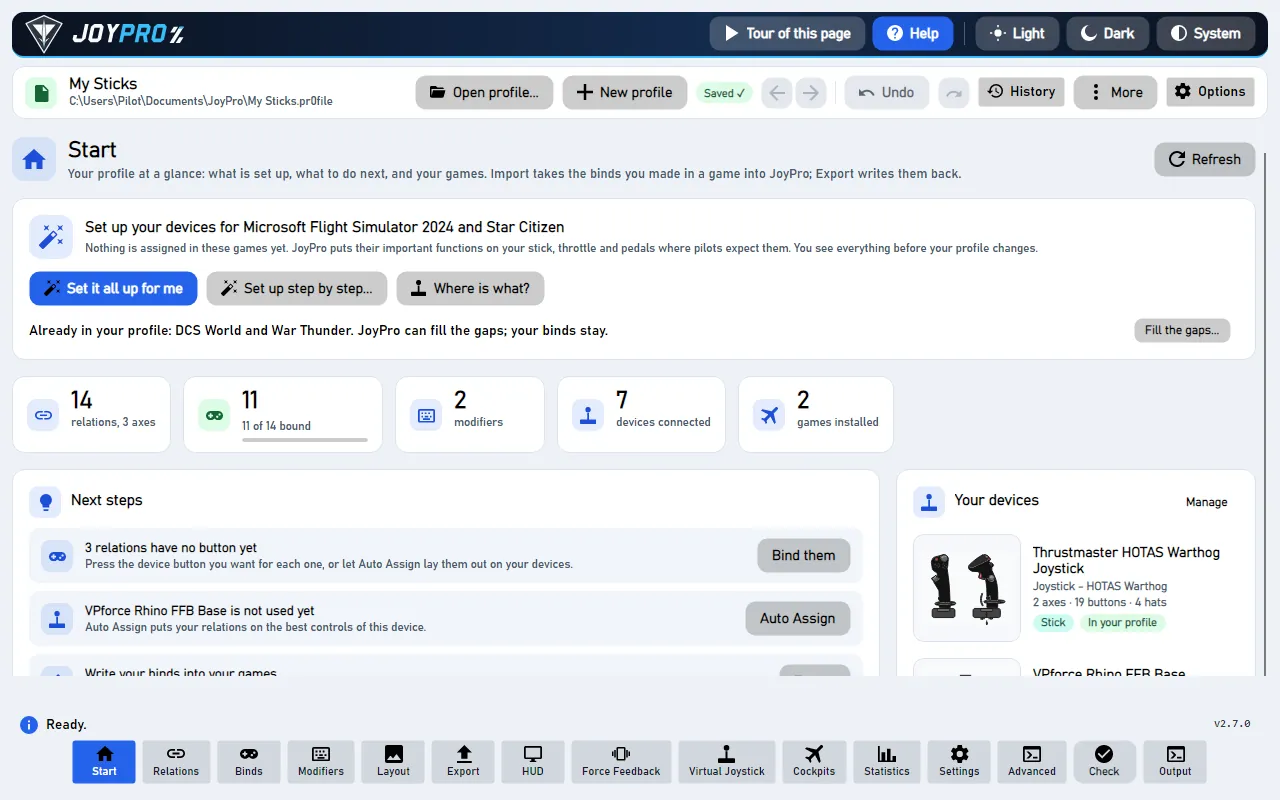
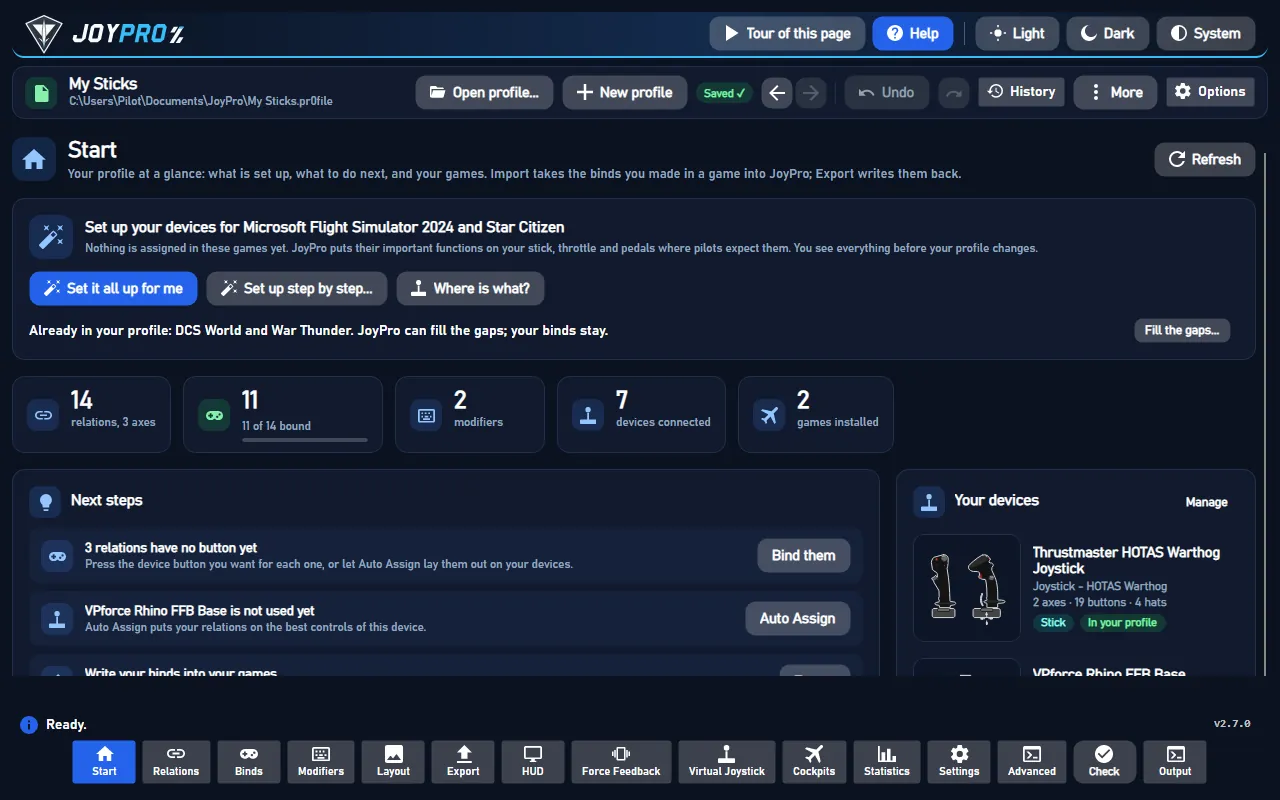
- Open Start. The IL-2 Great Battles card shows the game's picture. If it asks for a command list, press Build List: JoyPro reads the key mapping files your IL-2 has written.
- Press Import on the card. Choose Add to my profile (or Start over from this game) and tick Also take the keyboard keys if you want your flight keys too.
- Press Import now. See my relations opens what came in.
#Build and check relations
On the Relations page every IL-2 action of a relation sits next to the same function in your other games. Use the relations flow to join them, then press Check now on the Export page: it finds one button that does two things in IL-2 before the game does (the Check).
#Export to IL-2
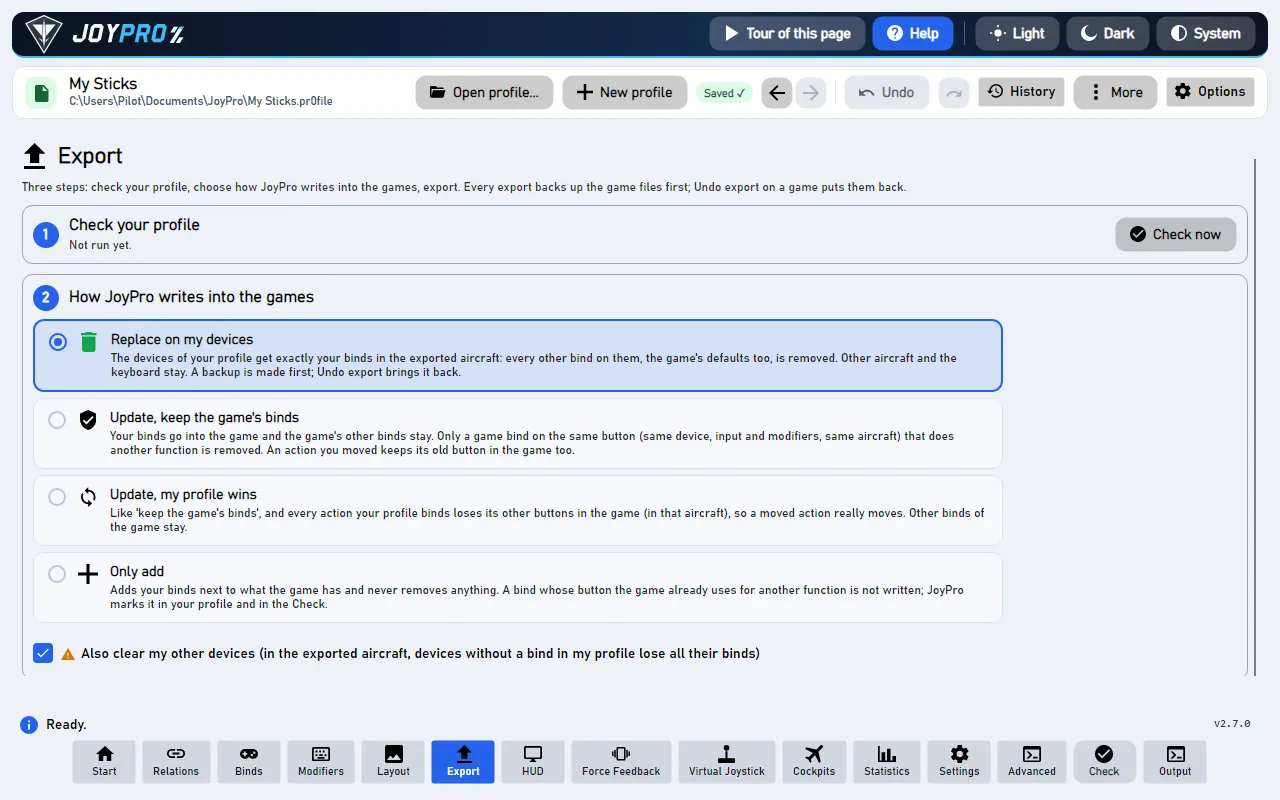
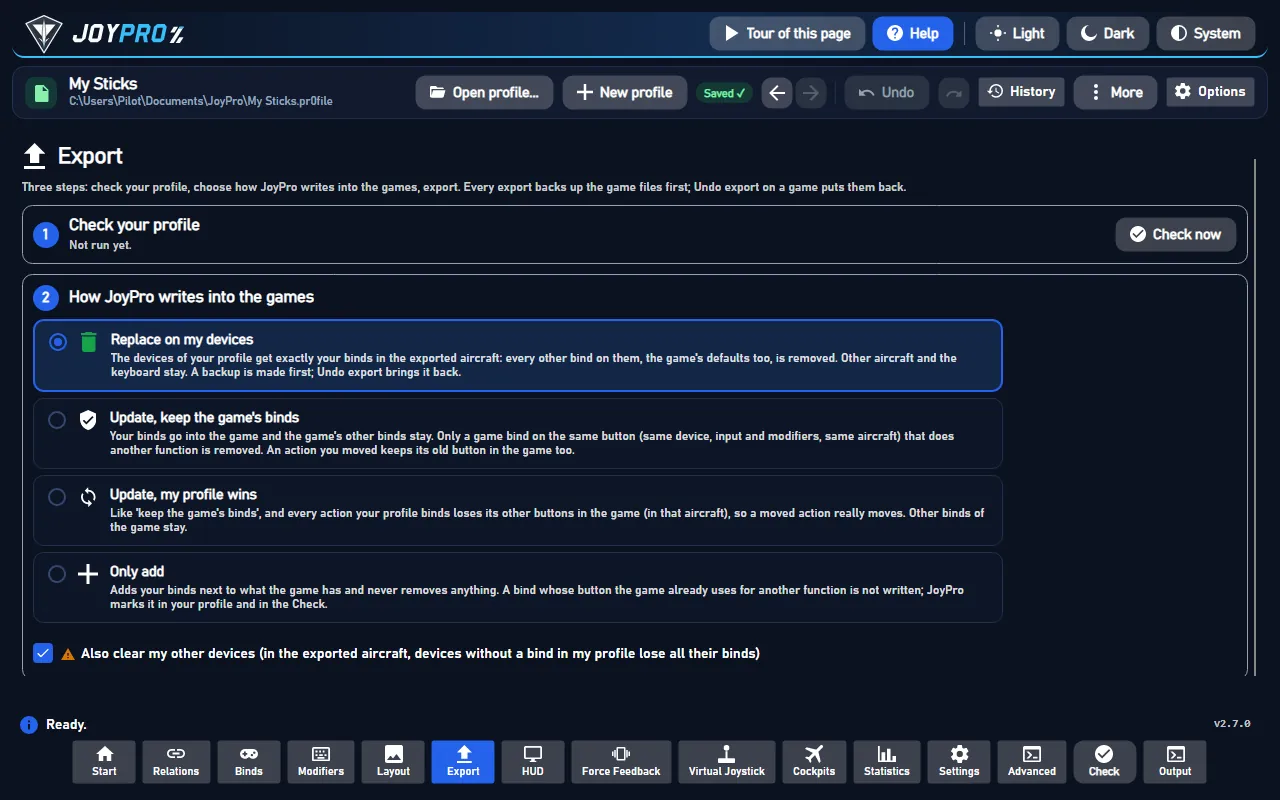
- Close IL-2. JoyPro refuses to write while
Il-2.exeruns. - Open Export. The IL-2 card shows how many of its relations are bound.
- Keep Replace on my devices with Also clear my other devices if JoyPro is where you set up your sticks. Press Export now on the IL-2 card.
Start IL-2 and open Settings > Key mapping. Your binds are in the action rows of each tab (for example Plane controls), on your devices. The axis responses JoyPro wrote are the ones the game uses from this start on. The force feedback and noise filter values JoyPro set show on Settings > Input devices.
#What you do yourself in IL-2
- Let IL-2 write its key mapping once. If
data\inputhas noglobal.actionsyet, open Settings > Key mapping and press ACCEPT. Without that file there is nothing to import, and the command list holds only the actions the game has written. - For force feedback and noise filter values: open Settings > Input devices once and press ACCEPT, so the game
creates its
current.devicesfile. JoyPro changes that file but does not create it. - For JoyPro's own force feedback from the game's telemetry, the Force Feedback page adds JoyPro's address
to the game's
startup.cfg(close IL-2 first). Then switch IL-2's own force feedback off for that stick.
#Common pitfalls
- "IL-2 is running": close the game completely and export again.
- Binds on the wrong device: IL-2 tells devices apart by the number in
devices.txt. A device JoyPro writes keeps its number; a new device gets the lowest free one. Do not renumber devices in the game between export and import. - A bind is missing after "Only add": the button was used for another action in IL-2. The Check lists it under "Not written to the game"; export with Update or move the bind.
- The force feedback values did not change: the game has no
current.devicesyet (see above).
#Files JoyPro reads and writes
| File | What it is |
|---|---|
<install>\data\input\global.actions |
the key mapping: one line per action, `action, input, invert |
<install>\data\input\devices.txt |
the device list: number, DirectInput GUID and name of each joystick |
<install>\data\input\current.responses |
axis response rows per action (centred, one-sided), for all aircraft |
<install>\data\input\global.pitch |
the pitch row with a centre shift (only created when you set one) |
<install>\data\input\jp.actions |
JoyPro's copy with relation names, groups, modifiers and tuning, read back by the next import |
<install>\data\input\current.devices |
Settings > Input devices: force feedback and the joystick noise filter (changed in place) |
<install>\data\startup.cfg |
force feedback values and JoyPro's telemetry address |
current.map is compiled by IL-2 from these files at every start; JoyPro never writes it.
#The export modes in IL-2
| Mode | What happens in IL-2 |
|---|---|
| Only add | Nothing is removed. A bind whose input IL-2 already uses for another action is not written and gets a mark "Not written to the game". |
| Update, keep the game's binds | Your binds go in; IL-2's other binds stay, except a bind of another action on an input you use. |
| Update, my profile wins | As above, and every action you bind loses its other inputs (joysticks; keyboard only with the keyboard option). |
| Replace on my devices | The joysticks you write keep only your binds. |
| + Also clear my other devices | Connected joysticks without a bind in your profile lose their binds. |
global.actions keeps the game's order; new lines go to the end.
#What is never touched
- Lines of a joystick that is not connected, the import's ignored devices and the vJoy device JoyPro tunnels into.
- Mouse lines (also mouse inputs with keyboard keys), TrackIR and lines with an input JoyPro cannot read.
- The keyboard, unless you export keyboard binds.
current.mapand the game's other files.
#Aircraft, curves, force feedback
- Granularity: global. One key mapping and one response row per action cover every aircraft.
- Axis curves (axis model
il2): centre dead zone, edge dead zone and the curve ("sensitivity balance") for centred axes; low and high dead zones for one-sided axes such as the throttle; a centre shift for pitch. The Default curve is fitted to IL-2's model; you can also set one for IL-2 only, or for the IL-2 family (Great Battles and Korea read each other's values). Invert is written on the action's line. - Game settings (Settings > Force feedback settings of the games): joystick noise filter, force feedback on, feedback power and shaking. An export without IL-2 binds still writes them.
- Telemetry force feedback: JoyPro's own effects from the game's telemetry output (Force Feedback). The same output feeds the telemetry recording (CSV; the telemetry has no world position, so no Tacview track).
- HUD: shows the IL-2 binds of the pressed buttons while IL-2 runs (HUD).
- Watcher: a bind you change in Key mapping is noticed after IL-2 closes; JoyPro asks whether to take it over (the watcher).
#Inside the IL-2 integration
flowchart LR
  P["Your profile"] --> E["engine il2 export"]
  E --> A["global.actions<br/>+ jp.actions"]
  E --> D["devices.txt"]
  E --> R["current.responses<br/>global.pitch"]
  A --> G["current.map<br/>(at start)"]
  D --> G
  R --> G
  G --> K["Settings ><br/>Key mapping"]
Code: engine\EngineIl2.cs (import, export, files), engine\EngineIl2DbRefresh.cs (command list),
engine\AxisModels (model il2), engine\EngineFfbTelemetry.cs (telemetry setup).
- Inputs:
joy<N>_b<button, 0-based>,joy<N>_axis_<x|y|z|...>,joy<N>_pov<hat>_<angle>, keyboard keys by DirectInput name, axis pairs as<input>/<input>, modifiers as<modifier>+<input>. IL-2 numbers hats from 0, JoyPro from 1 (JOY_BTN_POV1_*ispov0). - Devices:
devices.txtlists<number>,"<GUID>",<name>|; IL-2 writes the last 8 bytes of the DirectInput instance GUID reversed as one group. Every mode keeps the numbers already listed. - Command list:
engine db refresh-il2reads the*.actionsfiles the game writes (notjp.actions); the game's tabs (Service, Camera controls, Plane controls, Weapons controls ...) are the categories. The game writes only actions that have an input, so a fresh install's list holds about 376 actions. - Import / export:
engine il2 import,engine il2 scan,engine il2 export(--mode clean|add|merge|merge-overwrite --nuke-untouched-devices true|false --ignore-device <d>). Backups: every file to<file>.jpbakand into the backup store before the first write. - Settings and curves:
engine ffb set--device * --game IL2Game,engine binds tuning set--scope game:IL2Gameorfamily:il2,engine binds tuning preview. - Telemetry:
engine ffb telemetry setupil2adds one address line127.0.0.1:41994to thetelemetrydevicesection ofstartup.cfgand never changes other tools' addresses;--removerestores the file byte for byte. - Watcher:
engine sync status,engine sync diff(watched:global.actions,devices.txt,current.responses,current.devices,startup.cfg).
#Known limits
- Actions without an input in the game's files are not in a freshly built command list.
- The game's own force feedback must be off for a stick that gets JoyPro's telemetry force feedback.
- Tests:
engine\tests\smoke\il2.ps1; in the gametools\e2e\games\IL2Game.ps1(binds, 38 of 38 steps) andIL2GameCurves.ps1(responses compiled by the game against JoyPro's preview).
All technical notes on this game (generated from the repository): README.md.