
Hell Let Loose: Vietnam is an infantry shooter on Unreal Engine 5 with flyable helicopters, but it reads no joystick at all: only keyboard, mouse and Xbox controllers. Its pad layouts are fixed (you pick A, B or C in the game). So JoyPro flies it through a pretend controller (a virtual Xbox pad): your stick, throttle and pedals drive the pad controls that your layout uses for each helicopter action. JoyPro writes nothing for the pad. It writes only the keyboard pilot keys, when you ask for them.
Hell Let Loose: Vietnam virtual Xbox pad
- Support
- virtual Xbox pad
- Engine command
engine hllv- Bind file
%LOCALAPPDATA%\HLLVietnam\Saved\SaveGames\EnhancedInputUserSettings.sav(GVAS; keyboard keys only)- Inputs the game reads
- reads no joystick, only Xbox pads
- Command list from
- JoyPro's own table of the three pad layouts and the pilot keys; the game's own files only with an Oodle library (another game's after your yes)
- In-game test
- 19/19 steps passed (2026-10-11)
- ◐ ImportHell Let Loose: Vietnam reads no joystick: JoyPro reads and writes its keyboard keys; the pad layout is the game's.
- ◐ ExportHell Let Loose: Vietnam reads no joystick: JoyPro reads and writes its keyboard keys; the pad layout is the game's.
- ✓ Keyboard binds
- ✗ Modifiers
- ✓ Command list built on your PC
- ✓ Game watcher
- ✓ Axis curves and dead zones
- ✗ Game control settings
- ✗ In-game force feedback settings
- ✗ Force feedback from telemetry
- ✗ Telemetry recording
- — Virtual joystick (vJoy)
- ✓ Virtual Xbox pad
- ✓ Virtual functions
- ✗ Setup wizard / Auto Assign
- ✗ Cockpits
- ✓ Cheat sheets
- ✓ In-game test
Hell Let Loose documented only
- Support
- documented only
- Engine command
- none
- — Import
- — Export
- — Keyboard binds
- — Modifiers
- — Command list built on your PC
- — Game watcher
- — Axis curves and dead zones
- — Game control settings
- — In-game force feedback settings
- — Force feedback from telemetry
- — Telemetry recording
- — Virtual joystick (vJoy)
- — Virtual Xbox pad
- — Virtual functions
- — Setup wizard / Auto Assign
- — Cockpits
- — Cheat sheets
- — In-game test
Squad documented only
- Support
- documented only
- Engine command
- none
- — Import
- — Export
- — Keyboard binds
- — Modifiers
- — Command list built on your PC
- — Game watcher
- — Axis curves and dead zones
- — Game control settings
- — In-game force feedback settings
- — Force feedback from telemetry
- — Telemetry recording
- — Virtual joystick (vJoy)
- — Virtual Xbox pad
- — Virtual functions
- — Setup wizard / Auto Assign
- — Cockpits
- — Cheat sheets
- — In-game test
From the support matrix, generated from the engine’s code: all games.
#Get it working in 3 steps
- Bind the helicopter
on the Relations page - Install ViGEmBus
then Test - Start the game
at its title screen: Alt+Tab, Start
#Set it up once
- Open Start. If the Hell Let Loose: Vietnam card asks for a command list, press Build List. JoyPro writes its own table of the three pad layouts and the pilot keys.
- Open Relations. Put your stick, throttle and pedals on the helicopter's pad actions: collective, cyclic, yaw. For the collective, put one throttle axis on both Collective up and Collective down. JoyPro splits it at the centre onto the two triggers.
- Open the Virtual Joystick page. The pretend controller needs a free helper called ViGEmBus. Tick the box below its license. Then press Install ViGEmBus. Windows asks for permission: click Yes. You do this only once.
- Press Test. Move your stick. The controller picture moves with it.
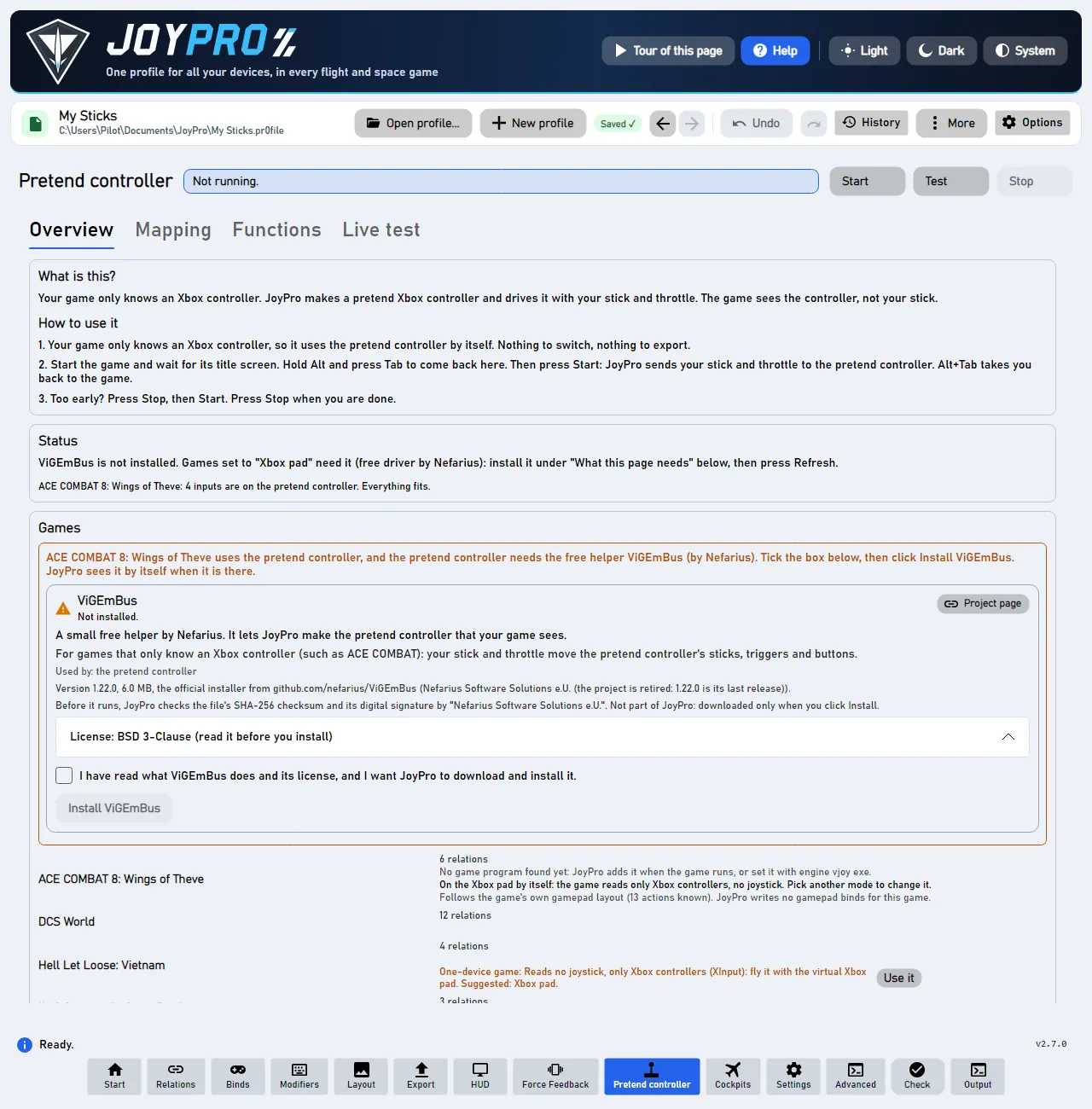
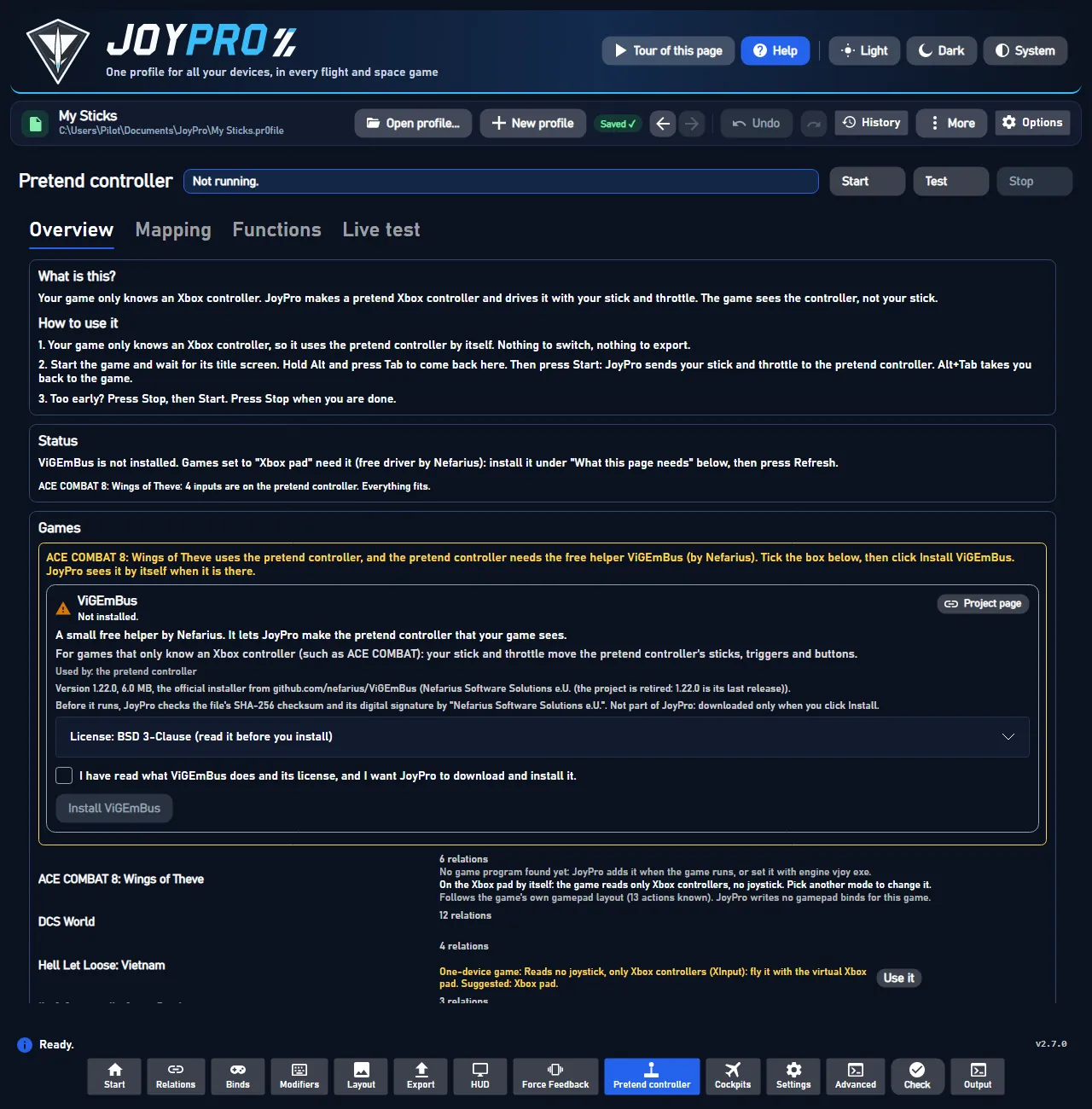
You do not need to switch anything. The game uses the pretend controller by itself. The page says "On the Xbox pad by itself: the game reads only Xbox controllers". You need no HidHide for this game: it never sees your real sticks anyway.
Set it all up for me knows only the game's keyboard pilot keys so far, not its pad actions. So bind the pad actions yourself, as in step 2. The welcome's answer Play ACE COMBAT with my flight stick shows the same pretend-controller steps as a tour.
#Every time you play
- Start Hell Let Loose: Vietnam. Wait until it shows its title screen.
- Hold Alt and press Tab. You are back in JoyPro.
- Press Start.
- Press Alt+Tab again. You are back in the game. Fly!
- When you are done, press Stop.
Press Start only when the game shows its title screen. Too early? JoyPro says "Too early". Press Stop, then Start. Do this every time you play.
#What JoyPro does for Hell Let Loose: Vietnam
- Helicopter on the pretend controller: JoyPro knows the helicopter actions of the three pad layouts (collective, cyclic, yaw, stability hold, auto-level, supply drop, recon flare, look, seat, medic). Bind your HOTAS to them, and the pretend controller moves the stick, trigger or button the game expects.
- Keyboard pilot keys: on request, JoyPro reads and writes the game's keyboard keys of the pilot actions.
- Hell Let Loose (the original) has nothing to fly, and Squad reads one merged device: both are documented only (see Advanced).
#Import your pilot keys
There are no joystick binds in the game to import. Only the keyboard pilot keys come in:
- Press Import on the Hell Let Loose: Vietnam card.
- Tick Also take the keyboard keys.
- Press Import now.
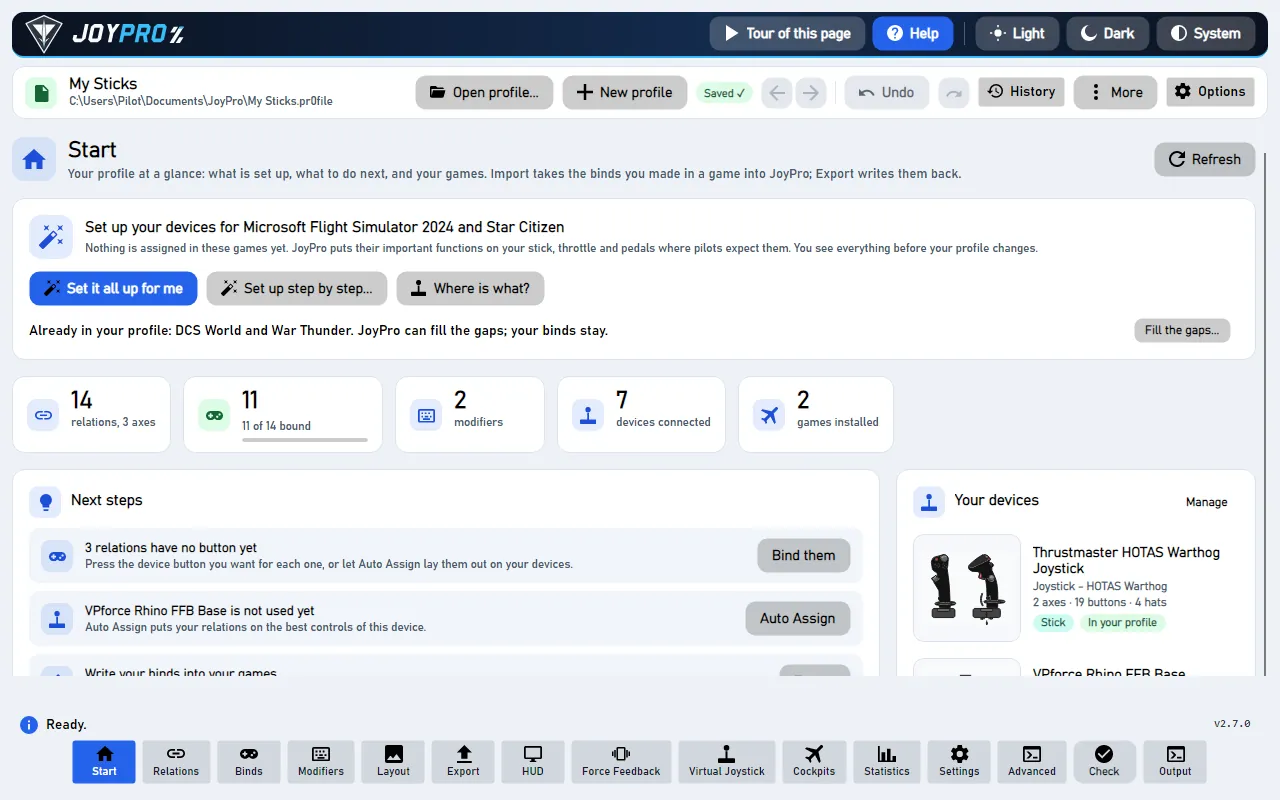
#Build and check relations
The relations flow works as for every game. A relation can hold the helicopter action of this game and the same function of your flight sims. Then "Collective" is one throttle lever everywhere.
#Export
The pretend controller needs no export: Start on the Virtual Joystick page builds its table from your relations. An export writes only the keyboard pilot keys, and only when you ticked the keyboard at the import (the choice is kept per game): close the game, open Export, press Export now on its card.
The game sees one Xbox controller: its menus show pad buttons (for example "B EXIT" in the main menu). Your stick, throttle and pedals fly the helicopter as the pad of the layout you picked would. Keyboard pilot keys JoyPro wrote show in the game's key settings.
#What you do yourself in Hell Let Loose: Vietnam
- Press Start at the title screen, every time you play (see above).
- Pick the pad layout (A, B or C) in Options > Controls. After a change, press Update mapping on the Virtual Joystick page (or Stop and Start). JoyPro then follows the new layout.
- The game's pad buttons cannot be rebound, so the layout decides which pad control each action has. JoyPro follows it. There is nothing to set in the game for the pad.
#Common pitfalls
- The game does not react: was Start pressed too early? Press Stop, then Start at the title screen.
- No ViGEmBus: without it, the game cannot see your stick. Install it on the Virtual Joystick page.
- Yaw and look move together in layouts A and B: the game puts yaw and look left / right on the same stick axis and decides by context. JoyPro pins one physical axis there and warns about the second.
- The collective goes the wrong way: tick Invert on the collective relation. It swaps the two triggers.
- A pilot key was not written: keyboard keys are written only with the keyboard choice of the import.
#How the pretend controller works
flowchart LR
  R["Stick, throttle,<br/>pedals"] --> J["JoyPro<br/>(the pretend controller)"]
  L["Your pad layout<br/>A, B or C"] --> J
  J --> G["Hell Let Loose: Vietnam<br/>sees an Xbox controller"]
- No HidHide. The game reads only Xbox controllers, so it never sees your real sticks. Nothing has to be hidden, and Windows asks for no administrator rights. HidHide is only for games set to vJoy.
- The mode switches itself. While you have not picked a mode, the game uses the Xbox pad. Pick another mode on the Virtual Joystick page, and JoyPro keeps your choice.
- Your curve reaches the pad. The game gets no export, so JoyPro applies the dead zone, saturation, curve and invert of Axis response (Binds page) to the pad stick or trigger itself. Tick only this game under Applies to for a curve of its own. Else the Default curve counts.
- Auto start makes the pad within about 3 seconds of the game's start, before its title screen. In JoyPro's tests a pad made before the title screen never reached this game. Then press Stop and Start at the title screen.
- Several games on the pad: each game keeps its own table. With auto start the running game's table goes live. Else pick it under Xbox pad table for Start and Test.
- Experts: vJoy, HidHide, the forwarding rate and the modes are under Show details for experts (vJoy, HidHide, modes).
#Files JoyPro reads and writes
| File | What it is |
|---|---|
%LOCALAPPDATA%\HLLVietnam\Saved\Config\Windows\GameUserSettings.ini |
read only: SelectedGamepadLayout (LayoutA, LayoutB or LayoutC) |
%LOCALAPPDATA%\HLLVietnam\Saved\SaveGames\EnhancedInputUserSettings.sav |
the keyboard keys you changed; JoyPro writes the pilot keys there (with the keyboard option) |
...\EnhancedInputUserSettings.sav.joypro-meta.json |
JoyPro's data of the exported keys for the next import |
#The helicopter pad layouts
| Action | A | B | C |
|---|---|---|---|
| Collective up / down | RT / LT | LT / RT | RT / LT |
| Cyclic pitch | left stick Y | right stick Y | left stick Y |
| Cyclic roll | left stick X | right stick X | left stick X |
| Yaw | right stick X | left stick X | LB / RB |
| Stability hold | B | B | B |
| Auto-level toggle | LS click | LS click | LS click |
| Supply drop | D-pad right | D-pad right | D-pad right |
| Recon flare | D-pad up | D-pad up | D-pad right |
| Look left / right, up / down | right stick | left stick | right stick |
| Free look (hold) | RB | LB | - |
| Next seat | Y | Y | Y |
| Medic / medic radial | A / RB | A / RB | A / RB |
#The export modes (keyboard pilot keys)
One key per pilot action. A mouse button on a pilot action always stays; infantry and common keys never change.
| Mode | What happens |
|---|---|
| Only add | The game's key stays; a key another pilot action has is skipped and marked "Not written to the game". |
| Update, keep the game's binds / Update, my profile wins | The profile's key is set; another pilot action on that key loses it (the game then uses its default there). |
| Replace on my devices | The other pilot keys you changed in the game go back to the game's defaults. |
| + Also clear my other devices | Nothing to clear: the game stores no joystick binds. |
#What is never touched
- The game's pad layouts: they are fixed and JoyPro writes no pad binds.
- Infantry and vehicle keys, mouse buttons, every other byte of the save file.
- HidHide: the pretend controller needs none for this game.
#Pad, curves, other settings
- Invert on an axis relation reverses that pad axis in JoyPro's forwarder. JoyPro applies your axis curve to the pad too (see above); the game's own pad settings apply after it.
- An action without a pad key in the layout gets the next free pad control; what does not fit is listed on the Virtual Joystick page. Virtual functions work on the pad too.
- Settings > Games: Hell Let Loose: Vietnam: use the Oodle library of another installed game: the game's files are compressed and it ships no library to read them. With your yes JoyPro uses one that another game on this PC has, where it is (never copied), to build the list from the game's own files. Off: JoyPro's own table, which is all the pad mode needs. Ask again forgets your answer.
- Watcher: the keyboard save file is watched after the game closes (the watcher).
- HUD: while the game runs, the HUD names the action of each pressed button.
#Hell Let Loose and Squad
| Game | What is known | JoyPro |
|---|---|---|
| Hell Let Loose (original) | Its Input.ini has only artillery and vehicle machine gun pitch / yaw; nothing flyable. |
Not planned. |
| Squad | Reads one merged HID device; a beta version adds several HOTAS devices. Binds in %LOCALAPPDATA%\SquadGame\Saved\Config\...\Input.ini. |
Waiting for the multi-device version; no integration. |
#Inside the Hell Let Loose: Vietnam integration
Code: engine\Games\HllVietnamIntegration.cs, engine\Games\GvasKeyMappings.cs; the pad planner and forwarder of
virtual-joystick.
- Input: the game's executable has no DirectInput, raw input or GameInput code, only keyboard, mouse and XInput.
It declares itself a one-device game (0 joysticks, suggested mode
xbox). - Command list:
DB\HLLVietnam\actions.tsv, two kinds of rows:Pad_*helicopter actions with the default key per layout in the 5th column (A:Gamepad_LeftY|B:Gamepad_RightY|C:Gamepad_LeftY), andDriver_*keyboard pilot keys.engine hllv refresh-dbwrites JoyPro's own table, or reads the game's input assets when an Oodle library may be used (the game's own first, another game's only after your yes:--oodle-dll <path>, loaded where it is, only in the refresh process).engine hllv oodlenames the library it would use. - Pad plan: the planner reads the layout from
GameUserSettings.ini, pins each action to its key in that layout (Gamepad_LeftYtoXB_LY,Gamepad_FaceButton_RighttoXB_B...); a relation on both collective actions becomesXB_TRIGGERS; Invert adds~(with a curve, the curve carries it). The game declaresMaxJoysticks0 and the suggested mode xbox, so without a stored choice its mode is xbox;engine vjoy modeHLLVietnam xboxstores one.engine vjoy map. No HidHide step:engine vjoy apply-hidhidesays "HidHide is not needed" for such games. - Setup tables:
DB\Functions\HLLVietnam.tsvlists only theDriver_*keyboard pilot actions so far, so the setup wizard and the quick setup do not place thePad_*actions. - Keyboard file: Unreal GVAS with the Enhanced Input tail (profiles, mappings with name, key, hardware class and
slot). JoyPro rewrites only the
<Action>_Keyboardmappings of the pilot actions; key names are turned into Unreal key names (SpacetoSpaceBar,D1toOne). - Commands:
engine hllv paths,engine hllv catalog,engine hllv scan,engine hllv import,engine hllv export--include-keyboard --mode clean|add|merge|merge-overwrite --dry-run.
#Known limits
- A flight with the virtual pad is not confirmed yet (collective on the triggers, cyclic, yaw, stability hold, supply drop); the menus were checked.
- Yaw and look share a stick axis in layouts A and B.
- Tests:
engine\tests\smoke\hllv.ps1(no library loaded without your yes, the fallback table, the game's own library first); in the gametools\e2e\games\HllVietnamXbox.ps1(menus with the virtual pad; vJoy and HidHide unchanged afterwards).
All technical notes on this game (generated from the repository): hll-vietnam.md, one-device-games.md.