
Nuclear Option is a combat flight game with jets, VTOLs and helicopters and one set of binds for every aircraft. It keeps its controls not in a file but in the Windows registry: one Rewired joystick map per device, written by the game's Control Mapper. JoyPro reads these maps into your profile and writes your Flight Controls binds back into them; camera, gameplay and chat binds stay as they are.
Nuclear Option native (its own bind files)
- Support
- native (its own bind files)
- Engine command
engine nuclearoption- Bind file
- registry
HKCU\Software\Shockfront\NuclearOption(Rewired XML in REG_BINARY values) - Command list from
resources.assetsof the game- In-game test
- 5/5 steps passed (2026-10-10)
- ✓ Import
- ✓ Export
- ✗ Keyboard binds
- ✗ Modifiers
- ✓ Command list built on your PC
- ✓ Game watcher
- ✗ Axis curves and dead zonesNuclear Option: the game's calibration dead zone is not written.
- ✗ Game control settings
- ✗ In-game force feedback settings
- ✗ Force feedback from telemetry
- ✗ Telemetry recording
- ✓ Virtual joystick (vJoy)
- ◐ Virtual Xbox pad
- ✓ Virtual functions
- ✓ Setup wizard / Auto Assign
- ✓ Cockpits
- ✓ Cheat sheets
- ✓ In-game test
From the support matrix, generated from the engine’s code: all games.
#Get it working in 3 steps
- Set it all up for me
on the Start page - Use these buttons
look at the list first - Write to my game
keep Nuclear Option closed
Before: start Nuclear Option once, then close it.
Then: your binds are in Settings > Controls > Open Control Bindings Menu, on your device's tab.
Did you bind buttons in Nuclear Option before? Then the Start page offers Import, then fill the gaps. Your binds stay, and only free buttons get new jobs. See Quick start: make my stick work.
#What JoyPro does for Nuclear Option
- Import: the joystick maps of your connected devices come into your profile: axes with their invert, buttons, and buttons on an axis (for example "Increase Throttle").
- Relations: one relation is one function; Nuclear Option has no aircraft lists, so a relation is for every aircraft.
- Export: JoyPro edits the map of each device in place, only the Flight Controls actions it writes. A device the game has no saved map for gets a new map with your binds.
#Import your binds
- Start Nuclear Option once (so its registry key exists) and close it.
- Open Start, press Import on the Nuclear Option card, then Import now.
#Build and check relations
Build relations as for every game (relations flow); the setup wizard and Auto Assign know the game's functions. Then run the Check on the Export page.
#Export to Nuclear Option
- Close Nuclear Option. JoyPro refuses to write while it runs: the game writes its maps when the bindings menu closes and when a device is unplugged.
- Open Export, keep Replace on my devices with Also clear my other devices, and press Export now on the Nuclear Option card.
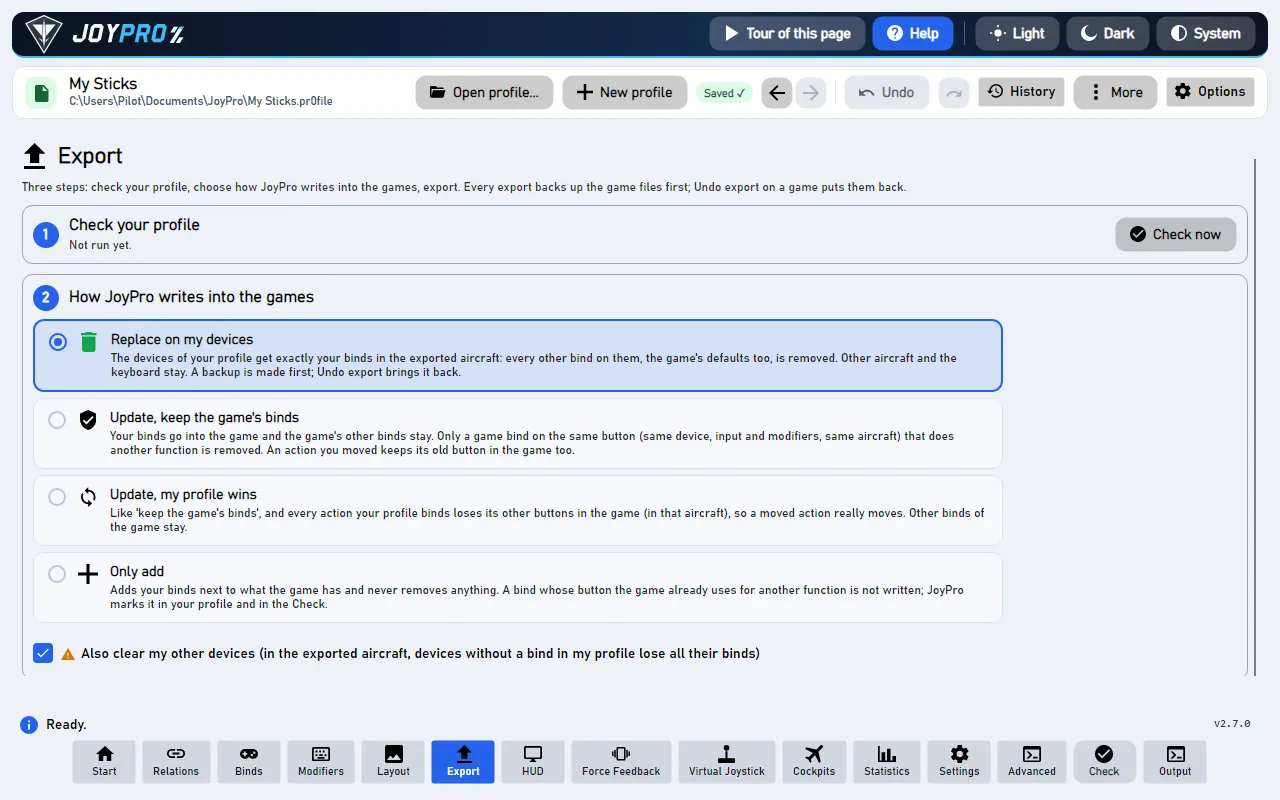
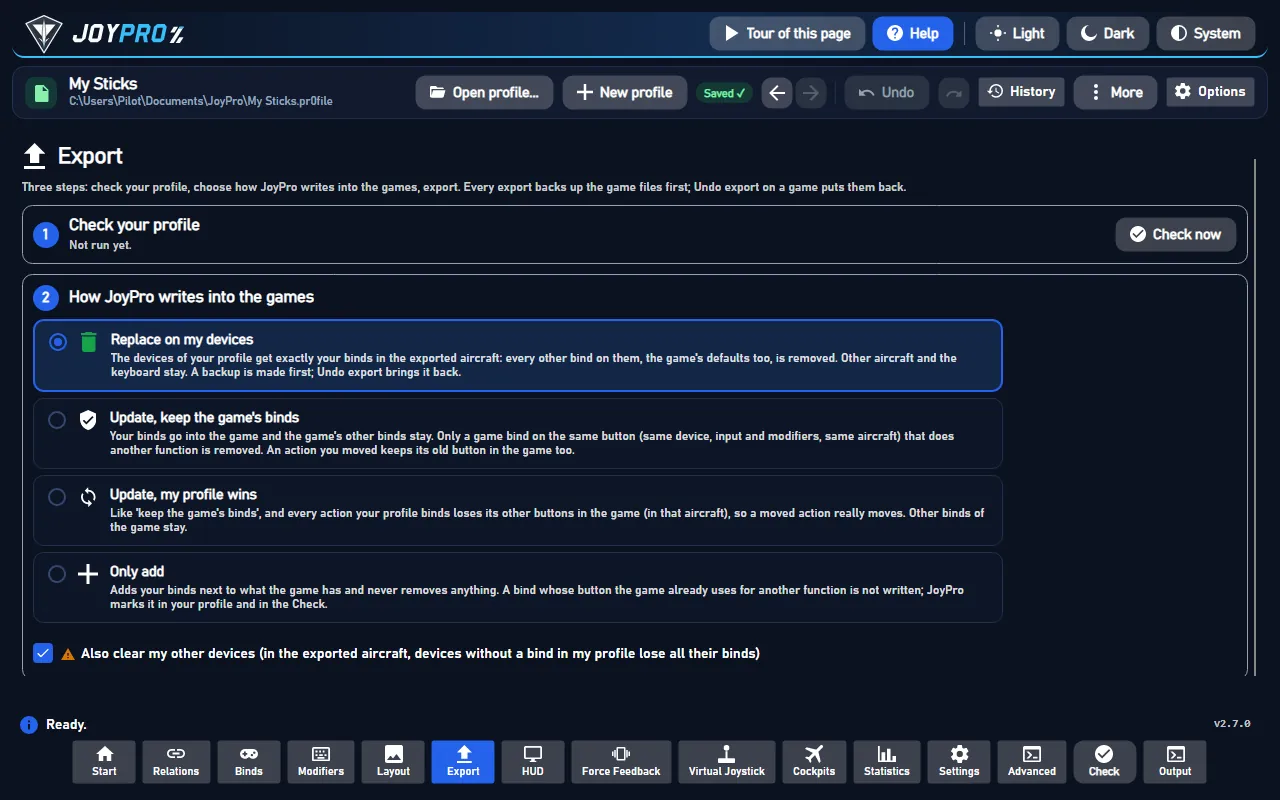
Open Settings > Controls > Open Control Bindings Menu. The Control Mapper has one tab per device: click your device at the top to see your Flight Controls binds there (in the game's names, for example Pitch, Roll, Yaw, Throttle). Camera, gameplay and chat binds are unchanged.
#What you do yourself in Nuclear Option
- Start the game once before the first import or export, so it creates its registry key.
- Use Throttle Axis Negative Region in the game's controls: leave it on for a full throttle axis. JoyPro warns when it is off and your profile binds a throttle axis.
- Hats: bind hat directions in the game for now; JoyPro does not write them yet.
#Common pitfalls
- "Nuclear Option is running": close the game and export again.
- A device is skipped: two connected devices of the same model (or a keyboard that also shows as a game controller) cannot be told apart in the game's maps; JoyPro leaves them out with a warning.
- A device keeps the game's default binds: a connected device the game has no saved map for uses the game's default map, which JoyPro cannot read; Also clear my other devices leaves it alone. Bind something on it in JoyPro, or clear its tab in the Control Mapper once.
- Throttle stuck in the middle: check Use Throttle Axis Negative Region (see above).
#What JoyPro reads and writes
| Where | What it is |
|---|---|
HKCU\Software\Shockfront\NuclearOption |
Unity's settings of the game in the registry; the Rewired values are binary (UTF-8 text plus one zero byte), names end in _h<hash> |
a value per device with dataType=ControllerMap and the device's hardwareIdentifier in its name |
the joystick map of one device (Rewired XML), for the player Player0 |
the same name with dataType=ControllerMap_KnownActionIds |
the action ids the map knows; JoyPro writes it with a new map |
<install>\NuclearOption_Data\resources.assets |
the game's Rewired action list: read only, for the command list |
%LOCALAPPDATA%\JoyPro2\GameMetadata\HKCU_Software_Shockfront_NuclearOption.joypro-meta.json |
JoyPro's names, groups and tuning of the exported binds, for the next import |
Before the first write JoyPro takes a snapshot of Player0's controller-map values into the backup store; Undo last
export writes them back and removes map values JoyPro added. Some value names are longer than 255 characters, so
JoyPro uses the registry API (Regedit and reg export do not show them all).
#The export modes in Nuclear Option
| Mode | What happens in the maps of your devices |
|---|---|
| Only add | Nothing of the game changes; a bind whose button or axis already drives another action (or the other pole of an axis) is left out and listed. |
| Update, keep the game's binds | A Flight Controls action on an input you give another action loses it; the action keeps its other inputs. |
| Update, my profile wins | As above, and every action (or pole) you bind leaves its other inputs, on every connected device JoyPro can read. |
| Replace on my devices | Every other Flight Controls action of the written devices is released. |
| + Also clear my other devices | The Flight Controls actions of the other saved maps of connected devices are released. Devices without a saved map keep the game's default map. |
#What is never touched
- Every action outside Flight Controls: camera, gameplay, chat, debug and mission editor binds.
- Keyboard and mouse maps, the calibration maps, input behaviours, the controller assignments and every game setting
(graphics,
ThrottleUseNegativeand the other control options). - Devices that are not connected, two or more devices of one model, the import's ignored devices and the vJoy device JoyPro tunnels into.
- Everything of an edited map outside the element maps JoyPro changes, also binds of mod actions.
#Granularity, curves, the rest
- Granularity: global, one set of binds for every aircraft (the Throttle action is also the helicopter collective).
- Axis curves: not written. The game's calibration dead zone stays as it is.
- Keyboard and modifiers: not written; the game's joystick binds have no modifiers.
- Hats: not read or written yet. Sliders are written with a warning.
- Force feedback, telemetry: none.
- Watcher: a registry change notification on the game's key; the fingerprint covers Player0's controller maps only (the watcher).
- HUD: the HUD finds the game by its process (
NuclearOption).
#Inside the Nuclear Option integration
flowchart LR
  A["resources.assets<br/>(the game's action list,<br/>read by refresh-db)"] --> E["engine nuclearoption export<br/>(a snapshot of the<br/>controller-map values first)"]
  P["Your profile"] --> E
  E --> R["HKCU / Software / Shockfront /<br/>NuclearOption<br/>(a joystick map per device)"]
  R --> G["Settings > Controls ><br/>Open Control Bindings Menu"]
Code: engine\Games\NuclearOptionIntegration.cs (the registry store, the game's specifics, the catalog layout) on top
of engine\Games\RewiredMapIntegration.cs (reading and writing Rewired joystick maps, shared with
Tiny Combat Arena).
- Value names: Unity appends
_h<hash>to every key (djb2 with XOR over the UTF-8 key, decimal). - Devices: none of the usual HOTAS devices is known to the game's Rewired, so their maps carry a zero
hardwareGuidandhardwareIdentifier=WindowsRawInput+ HID product string without whitespace + PID + VID (four hex digits each, upper case).duplicatecounts devices of one model; JoyPro handles only one per model. - Elements: axes X, Y, Z, Rx, Ry, Rz = 0 to 5, sliders 6 and 7, button n = 31 + n. A button on an axis action is
<Action>.Positive/.Negative(axisContribution0 / 1). The game's default map binds Pitch, Roll, Yaw, Throttle and Brake on axes 0 to 4 and eleven buttons. - Writing: only the touched
ActionElementMapblocks change (buttons in<buttonMaps>, axes in<axisMaps>); a new map hassourceMapId-1 and the list of known action ids, so the game adds no default binds to it. - Command list:
engine nuclearoption refresh-dbfinds the Rewired InputManager inresources.assetsby its first action ("Pitch") and writesDB\NuclearOption\actions.tsv(action name, title, category, Rewired id; axis actions also get pole rows). - Commands:
engine nuclearoption paths,engine nuclearoption catalog,engine nuclearoption scan,engine nuclearoption import,engine nuclearoption export; Undo withengine backups restore.
#Known limits
- Devices the game's Rewired recognizes (a non-zero
hardwareGuid, for example a T.16000M) are not handled. - Hat element ids were not seen in a saved map, so hats are skipped; slider ids follow Rewired's generic definition.
- Binds were checked in the game's menu, not yet in flight; the axis sign the game expects for Pitch is not confirmed yet.
- Tests:
engine\tests\smoke\nuclearoption.ps1(a real vJoy map plus camera and gameplay binds); in the gametools\e2e\games\NuclearOptionSettings.ps1(Pitch, Roll and Yaw on random vJoy axes show in the Control Mapper's vJoy tab, and an import after the game saved again reads them back).
All technical notes on this game (generated from the repository): nuclear-option.md.