
VTOL VR is a VR-only combat flight game: you fly with the VR controllers on the virtual stick and throttle. The game itself binds only three axes of a physical device, the rudder and the two toe brakes, and keeps them in one file for every aircraft. Full HOTAS support (stick, throttle, every switch, per aircraft and seat) comes from the free BYOJoystick mod. JoyPro handles both as two games: VTOL VR (BYOJoystick mod) writes the mod's binding files, VTOL VR (native rudder and brakes) writes the game's own file and its control settings.
VTOL VR (BYOJoystick mod) native (its own bind files)
- Support
- native (its own bind files)
- Engine command
engine vtolvr- Bind file
<install>\SaveData\BYOJ_<seat>.xml(XmlSerializer)- Inputs the game reads
- reads 128 buttons, 8 axes, 4 hats (4 directions) per joystick (verified)
- Command list from
- the installed mod's
BYOJoystick.dll(Steam Workshop; GUI: Install BYOJoystick on the VTOL VR card), else your ownBYOJ_*.xml
- ✓ Import
- ✓ Export
- ✓ Keyboard binds
- ◐ ModifiersBYOJoystick: one modifier per bind (a joystick button for joystick binds, a key for keyboard binds).
- ◐ Command list built on your PCVTOL VR (BYOJoystick): the list is built only when the BYOJoystick mod is installed.
- ✓ Game watcher
- ◐ Axis curves and dead zonesBYOJoystick: one dead zone value per bind (take-over threshold, or a cut for slew and tilt); no curves.
- ✓ Game control settings
- ✗ In-game force feedback settings
- ✗ Force feedback from telemetry
- ✗ Telemetry recording
- ✓ Virtual joystick (vJoy)
- ◐ Virtual Xbox pad
- ✓ Virtual functions
- ✓ Setup wizard / Auto Assign
- ✓ Cockpits
- ✓ Cheat sheets
- ✗ In-game test
VTOL VR (native: rudder and brakes) native (its own bind files)
- Support
- native (its own bind files)
- Engine command
engine vtolvr-native- Bind file
%APPDATA%\Boundless Dynamics, LLC\VTOLVR\SaveData\inputbindings.cfg(ConfigNode + Rewired XML) +gameSettings.cfg- Command list from
level0of the game
- ✓ Import
- ✓ Export
- ✗ Keyboard binds
- ✗ Modifiers
- ✓ Command list built on your PC
- ✓ Game watcher
- ◐ Axis curves and dead zonesVTOL VR native: invert and axis range only, no curve or dead zone.
- ✓ Game control settings
- ✗ In-game force feedback settings
- ✗ Force feedback from telemetry
- ✗ Telemetry recording
- ✓ Virtual joystick (vJoy)
- ◐ Virtual Xbox pad
- ✓ Virtual functions
- ✓ Setup wizard / Auto Assign
- ✗ Cockpits
- ✓ Cheat sheets
- ✗ In-game test
From the support matrix, generated from the engine’s code: all games.
#Get it working in 3 steps
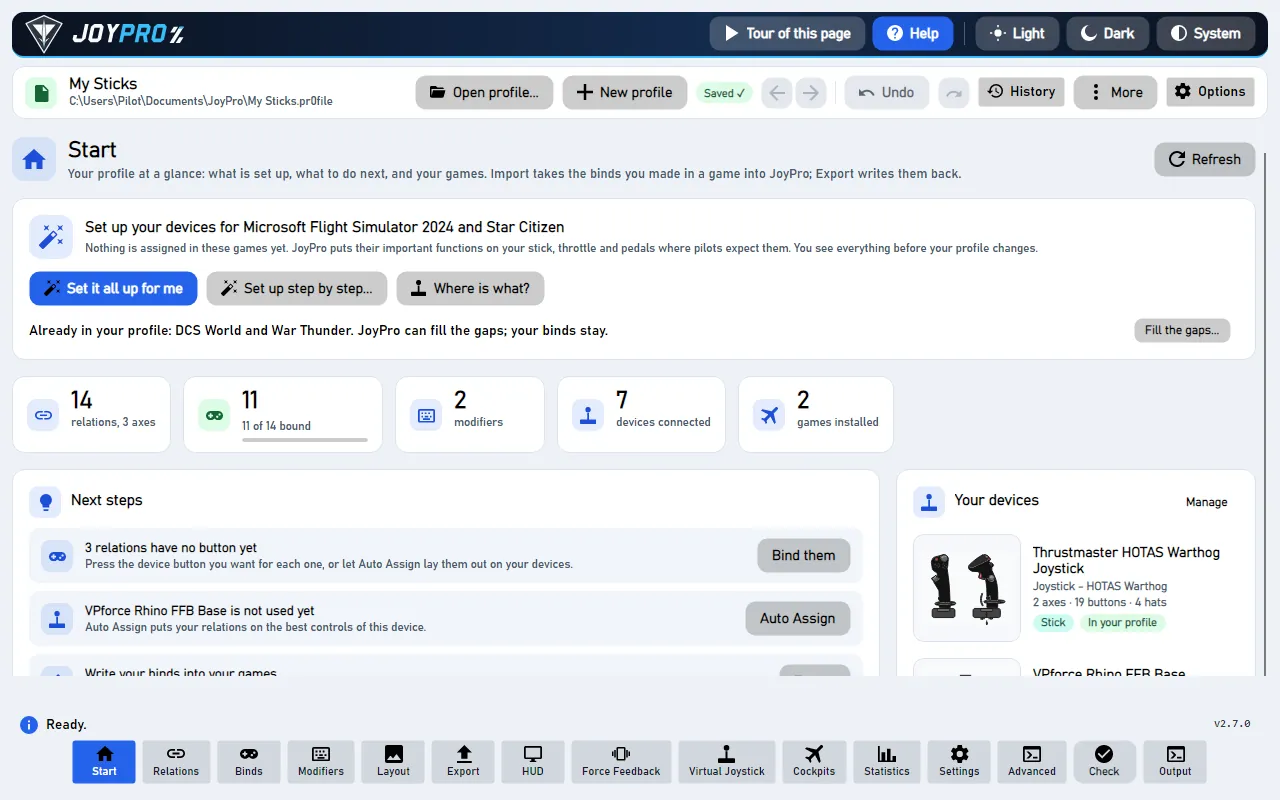
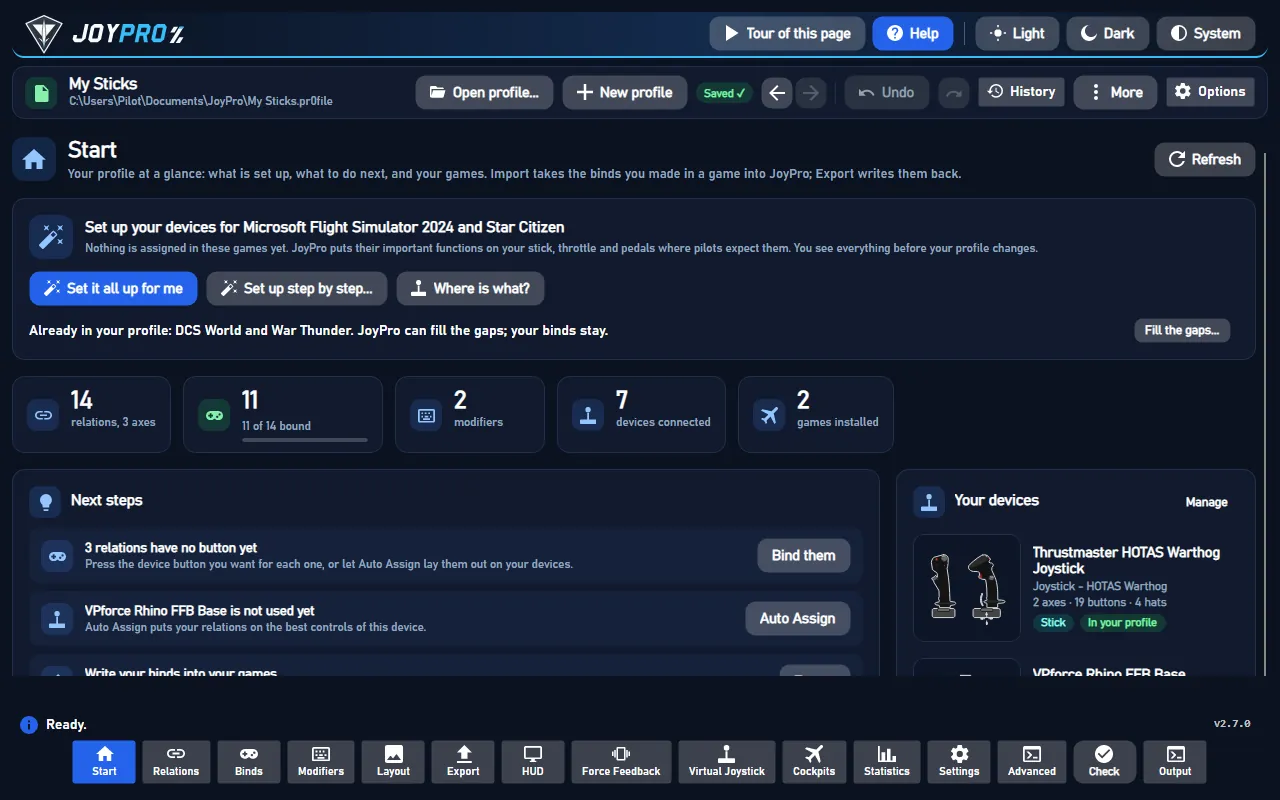
- Set it all up for me
on the Start page - Use these buttons
look at the list first - Write to my game
keep VTOL VR closed
Before: press Install BYOJoystick on the VTOL VR card (once, see below). Start VTOL VR once with your pedals connected and leave Settings with OK.
Then: switch Hardware Control Rudder on in the game's settings, or the game ignores your rudder.
Did you bind buttons in VTOL VR before? Then the Start page offers Import, then fill the gaps. Your binds stay, and only free buttons get new jobs. See Quick start: make my stick work.
#What JoyPro does for VTOL VR
- With BYOJoystick: every target the mod offers (stick and throttle axes, gear, flaps, weapons, countermeasures, radar, lights, MFD buttons and more) for each vehicle and seat, from your sticks, throttles and the keyboard.
- Without the mod: the game's own Rudder, Wheel Brake L and Wheel Brake R, plus the settings of its Controls menu (Hardware Control Rudder, VR dead zones, haptics).
- Relations: one relation is one function; the BYOJoystick export writes it into every seat file whose vehicle has that target.
#Install BYOJoystick (once)
- Open Start and press Install BYOJoystick on the VTOL VR card. A panel shows what the mod is, its official source (the Steam Workshop, the source code on GitHub), its size, and whether the VTOL VR Mod Loader and the mod are on this PC.
- Tick the box that you have read what BYOJoystick is and want to install it from the Steam Workshop, then press Install BYOJoystick. JoyPro backs up your BYOJ files and opens Steam: install the Mod Loader if Steam asks, then press Subscribe on the BYO Joystick page. Steam downloads the mod; JoyPro copies nothing of it.
- Press Check again: JoyPro finds the mod and builds its VTOL VR command list from it.
#Import your binds
Press Import on the VTOL VR card (BYOJoystick) or on the card of the native part, then Import now. For BYOJoystick, Also take the keyboard keys brings your keyboard binds too.
#Build and check relations
Build relations as for every game (relations flow); the setup wizard and Auto Assign know the BYOJoystick targets. Then run the Check on the Export page.
#Export to VTOL VR
- Close VTOL VR. JoyPro refuses to write while the game runs (process
VTOLVR). - Open Export and keep Replace on my devices with Also clear my other devices if JoyPro is where you set up your devices.
- Press Export now on the VTOL VR card (BYOJoystick) and, for the pedals, on the native card.
In the game, Settings shows Hardware Control Rudder switched on when your profile sets it, and Bindings lists Rudder, Wheel Brake L and Wheel Brake R with your device and its axis. The BYOJoystick binds are in the mod's own window, per vehicle seat; its Load reads the files again.
#What you do yourself in VTOL VR
- Start VTOL VR once with your pedals connected and leave Settings with OK. The game then lists your devices
and creates
gameSettings.cfg; the native export writes only devices the game has listed and never creates the settings file. - Hardware Control Rudder must be on, or the game ignores the rudder and brake axes. Switch it on in the game, or store it in JoyPro (Advanced) so the native export writes it.
- BYOJoystick needs the VTOL VR Mod Loader from Steam; JoyPro only opens the Steam pages.
#Common pitfalls
- The rudder does nothing: Hardware Control Rudder is off. The game reads it when a vehicle spawns.
- Only one toe brake works, or both follow the throttle trigger: the game takes the brakes from your pedals only when Wheel Brake L is bound. Bind both.
- A toe brake brakes only on the second half of its travel: the game reads a brake as 0 to 1. Set the axis range of that relation to Positive (Advanced); JoyPro warns about this case.
- Two identical pedals: the game keeps one map per device model, so both drive the same action.
- A BYOJoystick bind vanished: the mod drops targets a vehicle does not have when it loads a file.
#Files JoyPro reads and writes
| File | What it is |
|---|---|
<install>\SaveData\BYOJ_<seat>.xml |
BYOJoystick binds of one vehicle seat: AV42C, FA26B, F45A, AH94Front, AH94Rear, T55Front, T55Rear, EF24GFront, EF24GRear |
%APPDATA%\Boundless Dynamics, LLC\VTOLVR\SaveData\inputbindings.cfg |
the game's own binds: Rewired joystick maps in a text file; Steam Cloud syncs it |
%APPDATA%\Boundless Dynamics, LLC\VTOLVR\SaveData\gameSettings.cfg |
the Settings > Controls values (HARDWARE_RUDDER, ...); Steam Cloud syncs it |
<library>\steamapps\workshop\content\3018410\3276352374\BYOJoystick.dll |
the installed mod: read only, for its target list |
<install>\VTOLVR_Data\level0 |
the game's Rewired action list: read only, for the native command list |
The legacy file <install>\SaveData\inputbindings.cfg is never written. Every write is backed up first and done
atomically (temporary file, then replace): the game replaces a broken inputbindings.cfg by an empty one.
#The export modes in VTOL VR
| Mode | BYOJoystick (per seat file) | Native (inputbindings.cfg) |
|---|---|---|
| Only add | Nothing over the seat's binds: a bind on an input another target uses (with the same modifier state) is listed as not written. | Free axes only; a taken axis is listed as not written. |
| Update, keep the game's binds | The other target on your input loses it; everything else stays, also a moved target's old input. | The action on your axis is replaced; everything else stays. |
| Update, my profile wins | As above, and your targets leave their other inputs on connected devices (keys only with the keyboard option). | As above, and your actions leave their other axes on connected devices. |
| Replace on my devices | The devices JoyPro writes keep only your binds. | The other actions of the written devices are cleared. |
| + Also clear my other devices | Connected devices without binds are cleared. | Connected devices without binds are cleared. |
#What is never touched
- Devices that are not connected, the import's ignored devices and the vJoy device JoyPro tunnels into.
- BYOJoystick: inputs JoyPro cannot read, and the seat's modifier button unless your profile brings its own.
- Native: button maps, keyboard and mouse maps, input behaviours, the calibration maps, the controller assignments and
the System player. The BYOJoystick export does not write
gameSettings.cfg. - The keyboard, unless you export keyboard binds (BYOJoystick only).
#Seats, axes, settings
- Granularity: BYOJoystick per vehicle seat (a target goes into every seat that has it); the native part is global.
- BYOJoystick axes: invert and the mod's one Deadzone number per bind. On Joystick Pitch, Roll, Yaw and on Throttle, Power, Collective it is not a dead zone but the deflection the HOTAS needs to take the control from the other crew member in multiplayer; on SOI Slew X/Y and Articulate Tilt it cuts small values without rescaling; elsewhere the mod does not use it. No curves. See axis-curves.
- Native axes: invert, and for the toe brakes the axis range (Full or Positive). Dead zones and curves cannot be written.
- Modifiers: BYOJoystick knows one modifier button per seat file (binds that need it act only while it is held); a keyboard bind can have one modifier key. The native part has none.
- Control settings: Settings > Force feedback settings of the games, game VTOL VR (control
settings, VR haptics): Hardware Control Rudder, Thumb Control Rudder, Twist Rudder Deadzone, Thumbstick Deadzone,
Thumbstick Mode, Toggle Grip, Flight Control Haptics, Overall Haptics. The native export writes them into
gameSettings.cfg, also when the profile has no native binds. - Force feedback: VTOL VR has no joystick force feedback; the haptics are the VR controllers'.
- Watcher: the BYOJ files, and
gameSettings.cfgwith the native part (the watcher).
#Inside the VTOL VR integration
flowchart LR
  P["Your profile"] --> B["engine vtolvr export"]
  P --> N["engine vtolvr-native<br/>export"]
  B --> X["BYOJ_seat.xml"]
  N --> I["inputbindings.cfg"]
  N --> S["gameSettings.cfg"]
  X --> M["BYOJoystick mod"]
  I --> G["VTOL VR:<br/>Bindings"]
Code: engine\Games\VtolVrIntegration.cs (BYOJoystick), VtolVrMod.cs (install status, target list),
ClrMetadata.cs, VtolVrNativeIntegration.cs, engine\AxisModels\VtolVr.cs (byoj, vtolnative),
engine\FfbModels\VtolVr.cs (the control settings).
- BYOJoystick format: .NET XML serialization, root
<Bindings>with<KeyboardBindings>(Target,Key,ModifierKeyas Unity KeyCode names) and<JoystickBindings>(Target,JoystickId,Input,RequiresModifier,Invert,Deadzone,POVDirection).Input:X Y Z RX RY RZ,S1 S2,PoV1..PoV4,B1..B128. Devices by DirectInput instance GUID (JoystickId). - Native format: a text file with the root
RewiredSaveDataand{key} = {value}lines; the joystick map is Rewired XML (declared UTF-16 inside a UTF-8 file). Actions: 0 Rudder, 5 Wheel Brake L, 6 Wheel Brake R. A map is keyed by the device model:hardwareIdentifier=WindowsRawInput+ HID product string without spaces + decimal PID + product GUID,hardwareGuidzero for devices Rewired does not know. The element is the n-th axis of the device. - Command lists:
engine vtolvr refresh-dbreads the targets from the installedBYOJoystick.dllwithout loading or running it (its metadata and string literals), then your ownBYOJ_*.xml; without the mod there is no list.engine vtolvr-native refresh-dbreads the Rewired action list fromlevel0. - Commands:
engine vtolvr mod(status,prepare --accept-license),engine vtolvr scan,engine vtolvr import,engine vtolvr export,engine vtolvr-native scan,engine vtolvr-native import,engine vtolvr-native export, the settings withengine ffb set--device * --game VTOLVR.
#Known limits
- No in-game run yet; BYOJoystick is tested with a stand-in DLL. Whether the mod loads in the current game version is not confirmed yet.
- Native: the axis order of devices Rewired does not know and the exact device identifier are taken from the game's code, not yet from a file the game wrote.
- BYOJoystick: hat diagonals, a button on an axis target and an axis on a button target are skipped with a warning.
- JoyPro ships no part of BYOJoystick; its command list exists only with the mod installed.
- Tests:
engine\tests\smoke\vtolvr.ps1(import round trips, own values, game-wide settings, settings-only export).
All technical notes on this game (generated from the repository): vtol-vr.md.