
Battlefield 6 and Battlefield 2042 read one joystick, and their binds name no device. A HOTAS of several devices therefore works only through JoyPro's virtual joystick: JoyPro puts every input your Battlefield relations use onto one vJoy device and hides the real devices from the game with HidHide. The game's text profile holds the binds of jets and helicopters; JoyPro writes their keyboard keys today and reads the joystick binds. Writing joystick binds waits for one confirmed survey of the game's joystick numbering. The older Battlefields are documented only.
Battlefield 6 virtual joystick (vJoy)
- Support
- virtual joystick (vJoy)
- Engine command
engine bf6- Bind file
Documents\Battlefield 6\settings\steam\PROFSAVEbf6mp_profile+PROFSAVE_profile(text,GstKeyBinding)- Command list from
- your profile
- ◐ ImportBattlefield: keyboard keys only until the live survey confirms the game's joystick numbering.
- ◐ ExportBattlefield: keyboard keys only until the live survey confirms the game's joystick numbering.
- ✓ Keyboard binds
- ✗ Modifiers
- ✓ Command list built on your PC
- ✓ Game watcher
- ✗ Axis curves and dead zonesBattlefield: invert only (swapped halves).
- ✗ Game control settings
- ✗ In-game force feedback settings
- ✗ Force feedback from telemetry
- ✗ Telemetry recording
- ✓ Virtual joystick (vJoy)
- ◐ Virtual Xbox pad
- ✓ Virtual functions
- ◐ Setup wizard / Auto Assign
- ✗ Cockpits
- ✓ Cheat sheets
- ✗ In-game test
Battlefield 2042 virtual joystick (vJoy)
- Support
- virtual joystick (vJoy)
- Engine command
engine bf2042- Bind file
Documents\Battlefield 2042\settings\PROFSAVE_profile(text)- Command list from
- your profile
- ◐ ImportBattlefield: keyboard keys only until the live survey confirms the game's joystick numbering.
- ◐ ExportBattlefield: keyboard keys only until the live survey confirms the game's joystick numbering.
- ✓ Keyboard binds
- ✗ Modifiers
- ✓ Command list built on your PC
- ✓ Game watcher
- ✗ Axis curves and dead zonesBattlefield: invert only (swapped halves).
- ✗ Game control settings
- ✗ In-game force feedback settings
- ✗ Force feedback from telemetry
- ✗ Telemetry recording
- ✓ Virtual joystick (vJoy)
- ◐ Virtual Xbox pad
- ✓ Virtual functions
- ◐ Setup wizard / Auto Assign
- ✗ Cockpits
- ✓ Cheat sheets
- ✗ In-game test
Battlefield V documented only
- Support
- documented only
- Engine command
- none
- — Import
- — Export
- — Keyboard binds
- — Modifiers
- — Command list built on your PC
- — Game watcher
- — Axis curves and dead zones
- — Game control settings
- — In-game force feedback settings
- — Force feedback from telemetry
- — Telemetry recording
- — Virtual joystick (vJoy)Recommended once supported: one vJoy device.
- — Virtual Xbox pad
- — Virtual functions
- — Setup wizard / Auto Assign
- — Cockpits
- — Cheat sheets
- — In-game test
Battlefield 1 documented only
- Support
- documented only
- Engine command
- none
- — Import
- — Export
- — Keyboard binds
- — Modifiers
- — Command list built on your PC
- — Game watcher
- — Axis curves and dead zones
- — Game control settings
- — In-game force feedback settings
- — Force feedback from telemetry
- — Telemetry recording
- — Virtual joystick (vJoy)Recommended once supported: one vJoy device.
- — Virtual Xbox pad
- — Virtual functions
- — Setup wizard / Auto Assign
- — Cockpits
- — Cheat sheets
- — In-game test
Battlefield 4 documented only
- Support
- documented only
- Engine command
- none
- — Import
- — Export
- — Keyboard binds
- — Modifiers
- — Command list built on your PC
- — Game watcher
- — Axis curves and dead zones
- — Game control settings
- — In-game force feedback settings
- — Force feedback from telemetry
- — Telemetry recording
- — Virtual joystick (vJoy)Recommended once supported: one vJoy device.
- — Virtual Xbox pad
- — Virtual functions
- — Setup wizard / Auto Assign
- — Cockpits
- — Cheat sheets
- — In-game test
Battlefield Hardline documented only
- Support
- documented only
- Engine command
- none
- — Import
- — Export
- — Keyboard binds
- — Modifiers
- — Command list built on your PC
- — Game watcher
- — Axis curves and dead zones
- — Game control settings
- — In-game force feedback settings
- — Force feedback from telemetry
- — Telemetry recording
- — Virtual joystick (vJoy)Recommended once supported: one vJoy device.
- — Virtual Xbox pad
- — Virtual functions
- — Setup wizard / Auto Assign
- — Cockpits
- — Cheat sheets
- — In-game test
Battlefield 3 documented only
- Support
- documented only
- Engine command
- none
- — Import
- — Export
- — Keyboard binds
- — Modifiers
- — Command list built on your PC
- — Game watcher
- — Axis curves and dead zones
- — Game control settings
- — In-game force feedback settings
- — Force feedback from telemetry
- — Telemetry recording
- — Virtual joystick (vJoy)Recommended once supported: one vJoy device.
- — Virtual Xbox pad
- — Virtual functions
- — Setup wizard / Auto Assign
- — Cockpits
- — Cheat sheets
- — In-game test
Battlefield 2 / 2142 documented only
- Support
- documented only
- Engine command
- none
- — Import
- — Export
- — Keyboard binds
- — Modifiers
- — Command list built on your PC
- — Game watcher
- — Axis curves and dead zones
- — Game control settings
- — In-game force feedback settings
- — Force feedback from telemetry
- — Telemetry recording
- — Virtual joystick (vJoy)Recommended once supported: one vJoy device.
- — Virtual Xbox pad
- — Virtual functions
- — Setup wizard / Auto Assign
- — Cockpits
- — Cheat sheets
- — In-game test
From the support matrix, generated from the engine’s code: all games.
#Get it working in 3 steps
- Set it all up for me
then Use these buttons - Use it
then Start before the game - Bind vJoy in the game
on its joystick page
- On the Start page, press Set it all up for me. Look at the list. Press Use these buttons. JoyPro picks the buttons for jets and helicopters.
- Open the Virtual Joystick page. Install vJoy and HidHide there if they are missing. Press Use it next to Battlefield. Press Start before you start the game.
- In the game, open the joystick page. Click a row's box, then press your button. The game sees one joystick, "vJoy Device".
JoyPro does not write Battlefield's joystick binds yet. So step 3 is yours. Details below.
#What JoyPro does for Battlefield
- One device for the game: in virtual mode your stick, throttle and pedals appear to Battlefield as one vJoy joystick whose inputs never move. Every other program keeps seeing your real devices.
- Keyboard keys: JoyPro reads and writes the keyboard keys of the jet and helicopter button actions, when you ask for the keyboard.
- Joystick binds: JoyPro reads them (with a warning) but does not write them yet. The game's numbering of joystick inputs is not confirmed; until it is, you bind the vJoy device on the game's joystick page yourself.
#Import
- Start the game once so it writes its settings profile. Before that, JoyPro lists its own table of the jet and helicopter actions; the first import replaces it with the actions of your profile.
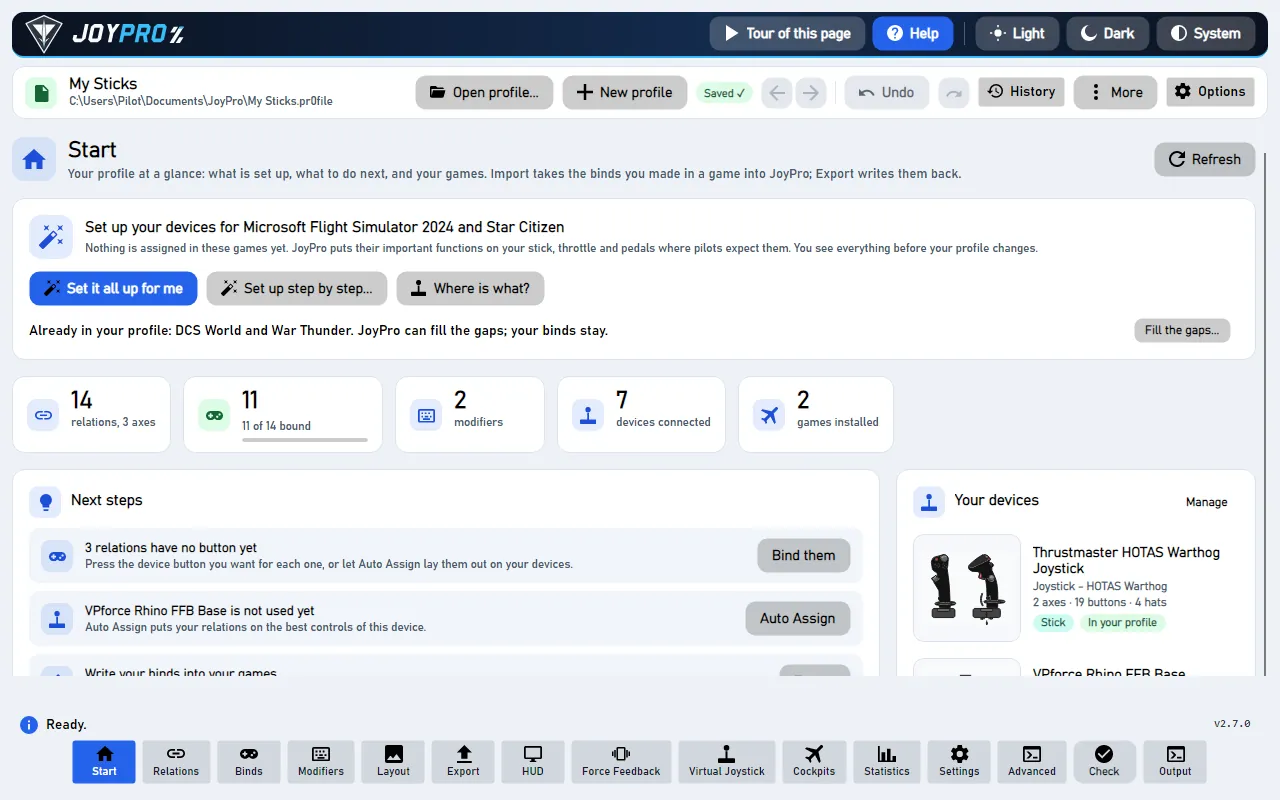
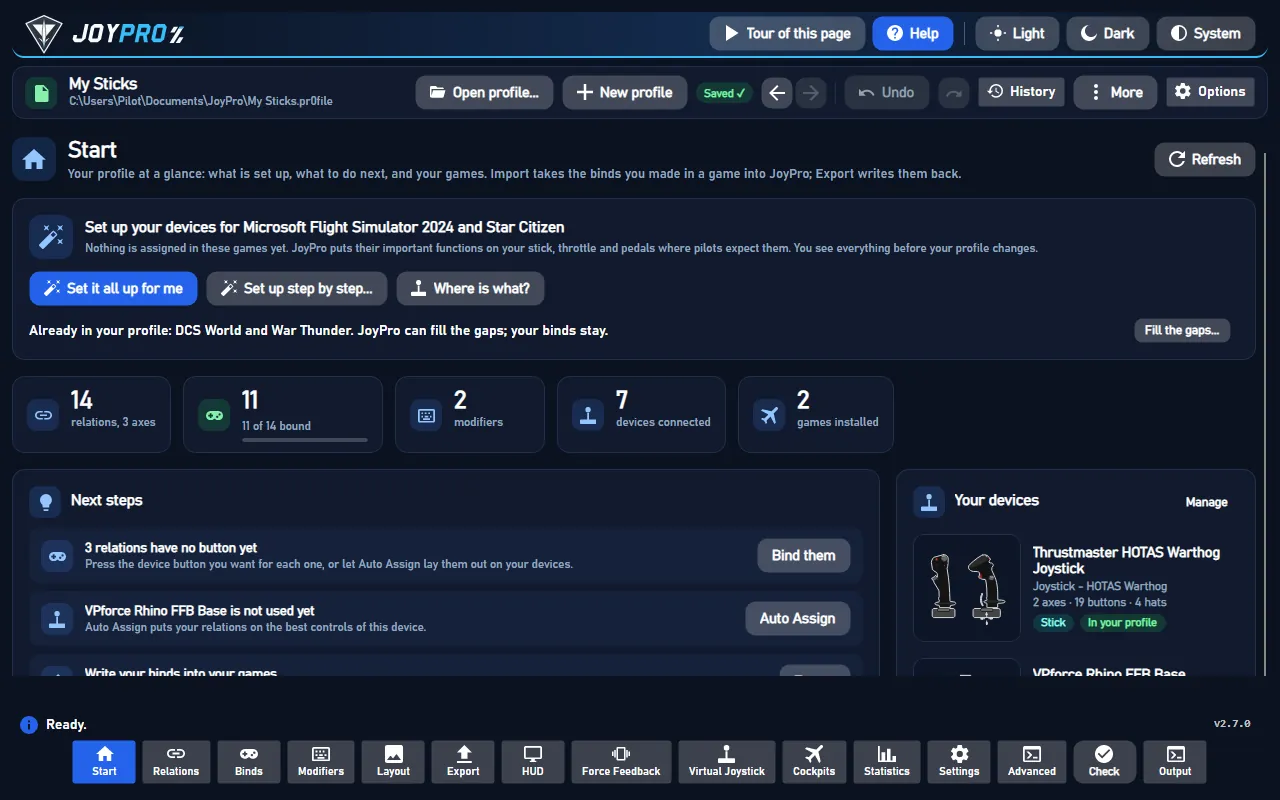
- Open Start, press Import on the Battlefield 6 (or 2042) card, tick Also take the keyboard keys if you want them, press Import now.
#Set up the virtual joystick
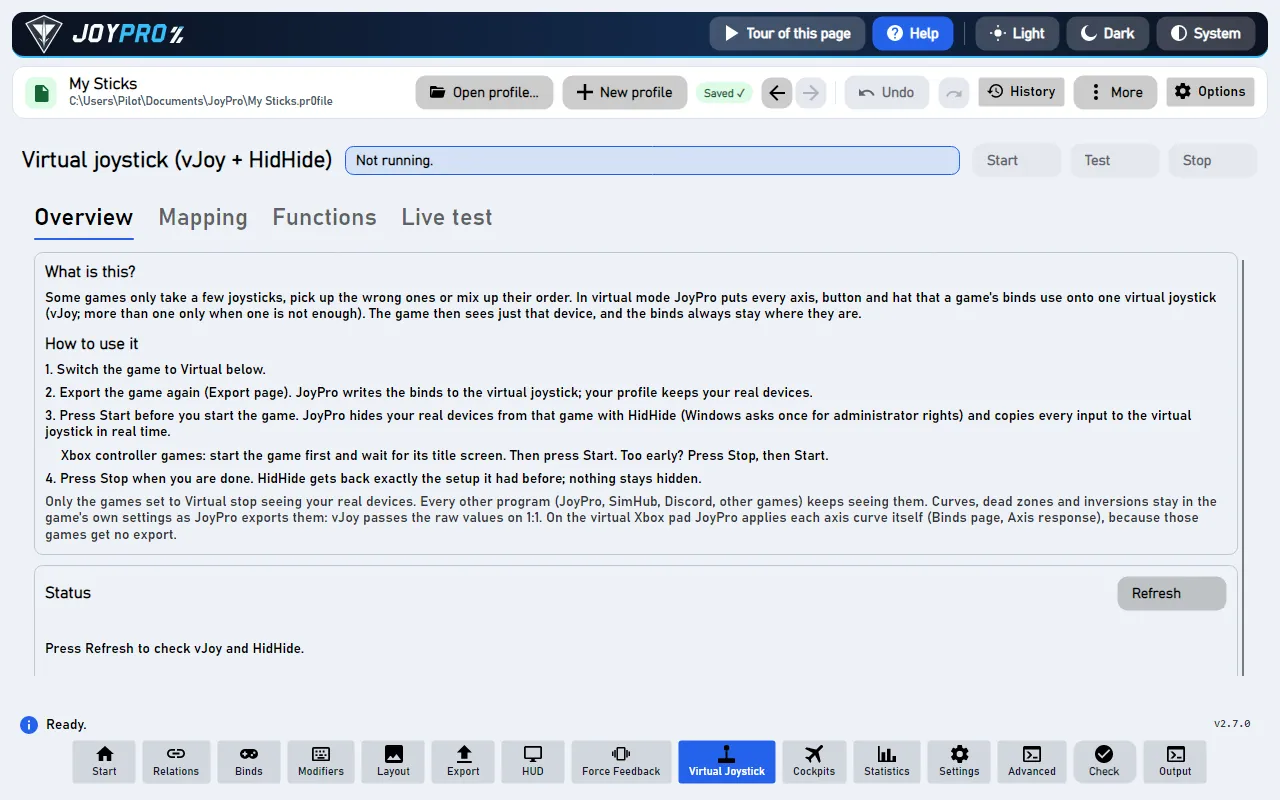
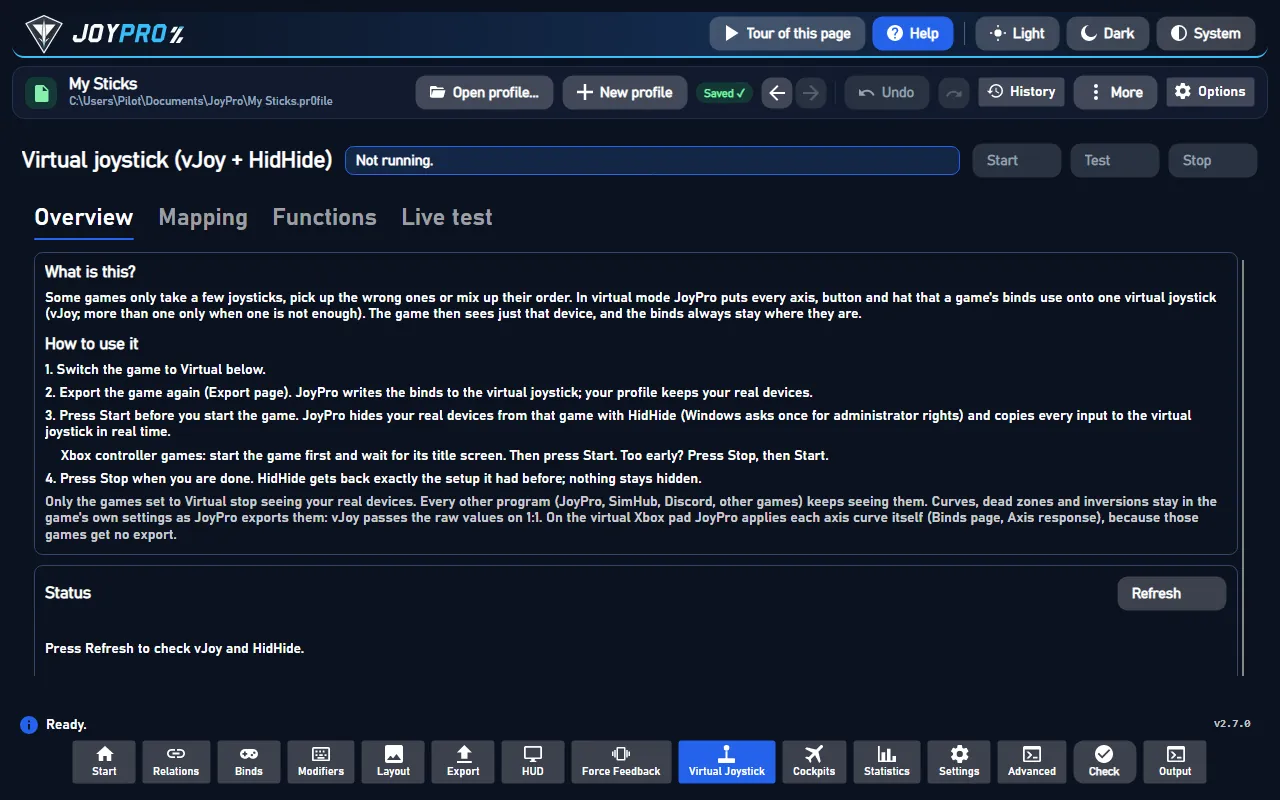
- Open the Virtual Joystick page. Under What this page needs, install vJoy and HidHide if they are missing.
- Under Games, switch Battlefield 6 to vJoy (JoyPro suggests it there with Use it).
- If the page offers Set up vJoy for the table, press it: JoyPro sets the vJoy device up without the Rx and Ry axes, because Battlefield takes a joystick with Rx / Ry for an Xbox pad. Windows must restart before vJoy takes the change.
- Press Start before you start the game, and Stop when you are done.
#Build and check relations
Bind your HOTAS to the Battlefield jet and helicopter actions on the Relations page (relations flow): only inputs of relations that have a Battlefield action get a place on the vJoy device. Jet and helicopter are different vehicles, so the same button may do something else in each.
#Export
- Close the game.
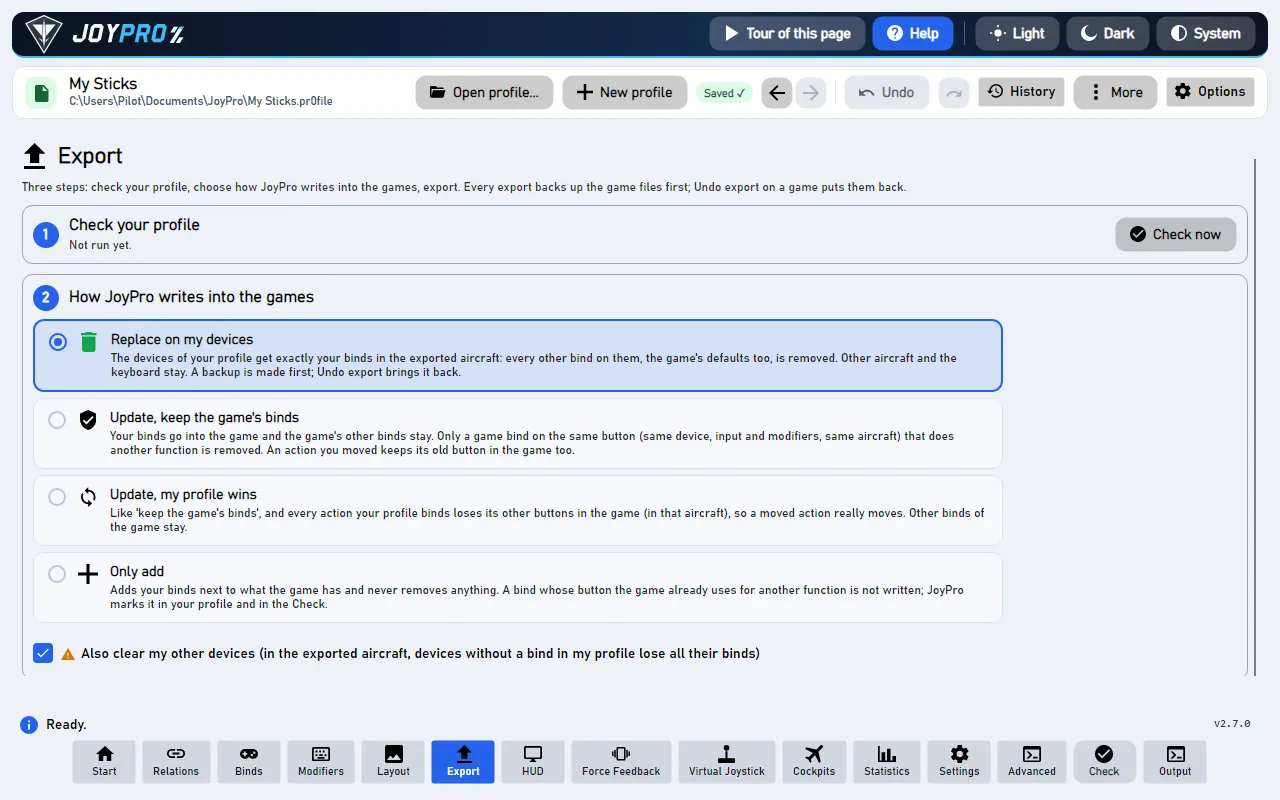
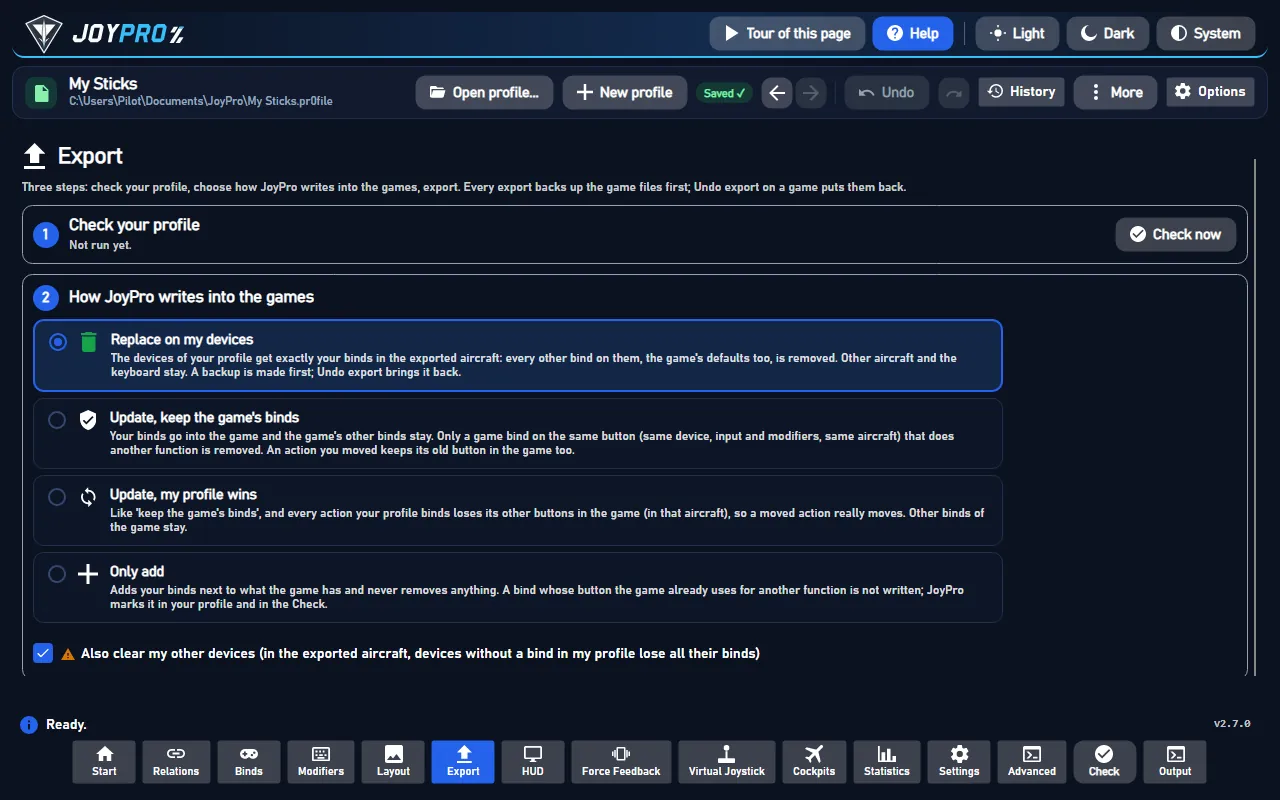
- Open Export, keep Replace on my devices, press Export now on the Battlefield card. The keyboard keys are written when you ticked the keyboard at the import (the choice is kept per game). Joystick binds are listed as not written.
- Start the game once afterwards and look at the binds: Steam Cloud and EA sync the settings folder, and a cloud copy can win.
With the virtual joystick running, the game's one joystick is "vJoy Device". In Battlefield 6 the aircraft rows are under the gear icon > CONTROLLER > EDIT SETTINGS > JOYSTICK > Aircraft EDIT ("AIRCRAFT PILOT CONTROL MAPPING"): each row shows UNBOUND or the bind, for example "AXIS 1 X -". Keyboard keys JoyPro wrote show in the game's keyboard bindings.
#What you do yourself in Battlefield
- Bind the vJoy device in the game on the joystick page above: click a row's box, then move the input. The game binds the first input it sees, so only vJoy should be visible to it (virtual joystick running).
- Switch Steam Input off for the game.
- If the game still sees your real devices (some players report that Battlefield 6 sees devices HidHide hides), unplug them while you play; the vJoy device carries everything.
#Common pitfalls
- The joystick page is missing in the game: the joystick has Rx or Ry axes, and the game takes it for an Xbox pad. Set up vJoy without them (step 3 above) and restart Windows.
- A row binds a jittering axis: another device is still visible to the game. Start the virtual joystick before the game, or unplug the real devices.
- Only one device was exported: the game reads one joystick; JoyPro writes the device with the most binds and lists the others ("use the virtual joystick").
#How the virtual joystick works
flowchart LR
  R["Stick, throttle,<br/>pedals"] --> F["JoyPro copies every input<br/>(fixed mapping table)"]
  F --> V["One vJoy device<br/>(no Rx / Ry)"]
  V --> G["Battlefield 6 / 2042"]
  H["HidHide"] -.-> G
#Files JoyPro reads and writes
| Game | File | What it is |
|---|---|---|
| Battlefield 6 | %USERPROFILE%\Documents\Battlefield 6\settings\steam\PROFSAVEbf6mp_profile and PROFSAVE_profile |
multiplayer and campaign profile, text lines GstKeyBinding.<category>.<Concept>.<slot>.axis <n> (also .button, .negate, .type); the EA app version has no steam folder |
| Battlefield 2042 | %USERPROFILE%\Documents\Battlefield 2042\settings\PROFSAVE_profile |
the same format |
An export writes every *_profile of the folder that holds binds, so campaign and multiplayer match. The binary
PROFSAVE files without _profile hold no binds and are never touched. Backups as for every export (.jpbak and
JoyPro's backup store), JoyPro's names and groups in <profile>.joypro-meta.json.
#The export modes in Battlefield
Only jet and helicopter slots change. Soldier and ground vehicle slots, mouse and pad slots, keys on axis actions and joystick codes JoyPro's table does not read never change.
| Mode | What happens |
|---|---|
| Only add | A bind whose input another action of the same vehicle uses is skipped (marked "Not written to the game"); no slot is freed. |
| Update, keep the game's binds | The other action's slot on the profile's input is freed; the action's bound slots stay. A bind that finds no free slot stays out. |
| Update, my profile wins | As above, and the action's other slots (keys with the keyboard option) are freed; a bound slot takes the profile's input. |
| Replace on my devices | The flight slots of what the export writes are freed: the keyboard keys when keys are exported (the joystick once joystick binds are written). |
| + Also clear my other devices | No other device to clear: the game reads one joystick. |
#What is never touched
- Infantry, ground vehicle, transport and gunner binds; mouse and pad slots.
- Keyboard keys on axis actions (the game manages those pairs) and keyboard keys without the keyboard option.
- Joystick slots, until the numbering is confirmed.
- HidHide hides your real devices only from the game's executable, only while the virtual joystick runs; Stop gives HidHide back exactly its previous setup.
#Axes and other settings
- Per vehicle class: jet and helicopter are separate categories in the game's profile; JoyPro writes both.
- Invert only: an axis is written as two halves, and Invert swaps them. No curves or dead zones, no modifiers.
- Hats: four directions only, diagonals are skipped. Players see about 18 buttons; above that is not confirmed.
- Watcher: the profile files are watched after the game closes (the watcher).
- HUD: while the game runs, the HUD names the action of each pressed button.
- Virtual functions (toggles, axis bands, short / long press ...) work on the vJoy device for Battlefield.
#The older Battlefields
| Game | What is known | JoyPro |
|---|---|---|
| Battlefield V | One DirectInput joystick; Documents\Battlefield V\settings\PROFSAVE_profile_synced, synced with EA's servers, its own numbering. |
Documented only; once supported: one vJoy device. |
| Battlefield 1 | One joystick; the same scheme as Battlefield V. | Documented only. |
| Battlefield 4 / Hardline / 3 | One device; joystick and pad share one type in Documents\Battlefield <n>\settings\PROFSAVE_profile. |
Documented only. |
| Battlefield 2 / 2142 | One joystick by device index in Documents\Battlefield 2\Profiles\000N\Controls.con. |
Documented only. |
#Inside the Battlefield integration
Code: engine\Games\BattlefieldIntegration.cs (one class for Battlefield 6 and 2042); the vJoy planner, forwarder and
HidHide session of virtual-joystick.
- Bind lines:
type0 mouse, 1 pad, 2 keyboard (button= DIK scan code, 255 = none), 3 joystick; "nothing bound" is axis 56 (Battlefield 6) or 27 (2042) and button 60.negate 1= the slot drives the action in the negative direction. The default profile has two empty joystick slots per axis action (negate 0 and 1); a button action gets slot n+1 with its four lines in their sorted place. - Devices: the binds name no device; JoyPro writes one joystick. The game declares itself a one-device game
(1 joystick, suggested mode
virtual, vJoy axes Rx and Ry avoided), so the planner gives no input Rx / Ry andengine vjoy configure-vjoysets the device up without them. - Joystick numbering: a provisional table taken from Battlefield 4's decoded scheme (X / Y as Axis1X / Axis1Y,
Z / Rx / Ry / Rz as half-axis button codes 36-43, button n as code n-1, hat n as 44 + 4(n-1) + direction). The
game's own default does not fit it, so without a confirmed table JoyPro reads joystick binds with a warning and
writes none. The live survey
tools\e2e\games\BattlefieldJoystickSurvey.ps1produces the confirmed table<engine>\TOOLS\Conversions\Battlefield6JoystickMap.tsv(Battlefield2042JoystickMap.tsv). - Commands:
engine bf6 paths,engine bf6 catalog,engine bf6 scan,engine bf6 import,engine bf6 export--include-keyboard --mode clean|add|merge|merge-overwrite --dry-run,engine bf6 refresh-db; the same underengine bf2042 exportand its siblings. Virtual mode:engine vjoy modeBattlefield6 virtual,engine vjoy map,engine vjoy apply-hidhide.
#Known limits
- Joystick binds are not written until the survey confirms the numbering.
- Battlefield 2042 is implemented from the same format without an installed game.
- Buttons above about 18, and whether a half axis is stored as a whole axis, are not confirmed yet.
- Tests:
engine\tests\smoke\battlefield.ps1; the survey scriptstools\e2e\games\BattlefieldJoystickSurvey.ps1,BattlefieldSurveyAuto.ps1,BattlefieldAdminSession.ps1(need a Windows restart window for the vJoy setup).
All technical notes on this game (generated from the repository): battlefield.md, one-device-games.md.